About CozyTyper
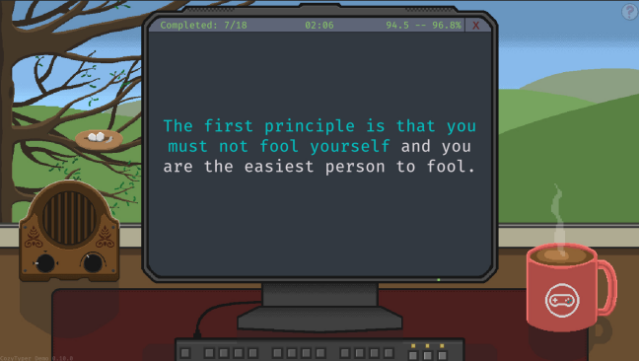
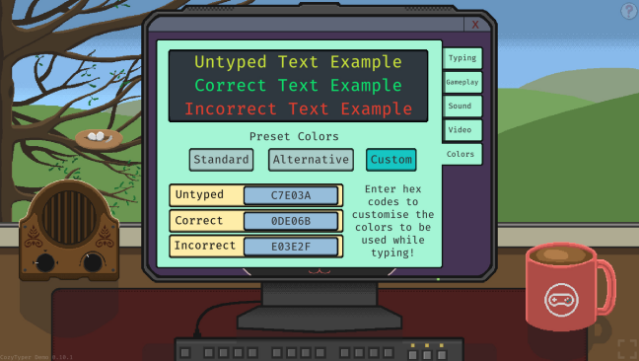
This typing game offers a refreshing twist by emphasizing accuracy over speed, making it an ideal choice for anyone looking to enhance their typing skills without the stress of a timer. Set against a charming backdrop, players engage with a variety of quotes from beloved media, including films, literature, and notable speeches. The core gameplay revolves around typing these quotes accurately, gradually increasing in length and complexity as you progress.
One standout feature is the personalized learning experience guided by Anita, a seasoned typist who shares her expertise through a structured course. Players receive regular progress reports that highlight their improvement, giving a satisfying sense of growth. Additionally, the Freeplay mode lets you practice at your own pace, using unlocked quotes without the confines of the course.
This game is perfect for those who enjoy educational challenges and want to refine their typing skills in a relaxed environment.
Instructions
- Click the Download button below and you will be redirected to UploadHaven.
- Wait 5 seconds and click on the blue ‘download now’ button. We recommend using a download manager for faster download speeds. (You can use FDM which is free here, or any other download manager).
- Once the game is finished downloading, right click the .zip file and click on “Extract to CozyTyper.zip” (To do this you will need 7-Zip, which you can get here, or you can use the built in windows extractor).
- Double click inside the CozyTyper folder and run the setup application. Accept the EULA, and install the game. Then, launch the game through the desktop shortcut.
CozyTyper Free Download
Reminder: This download is completely free and won't cost you a penny. However, If you love the game and want to purchase it, you can support the developers by doing so here.
System Requirements
- OS: Windows 10 or newer
- Processor: 2 Ghz
- Memory: 2 GB RAM
- Graphics: 256 mb video memory
- DirectX: Version 10
- Storage: 300 MB available space
Screenshots