About Coloring Game: Studio
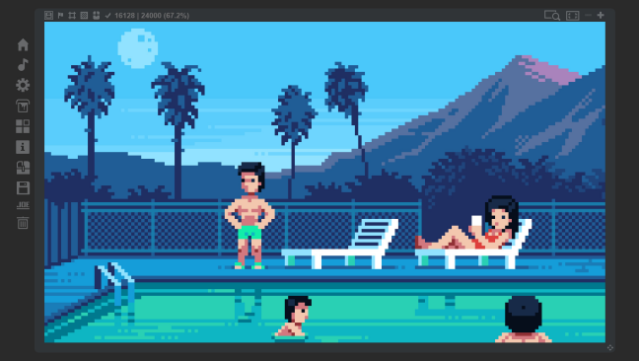
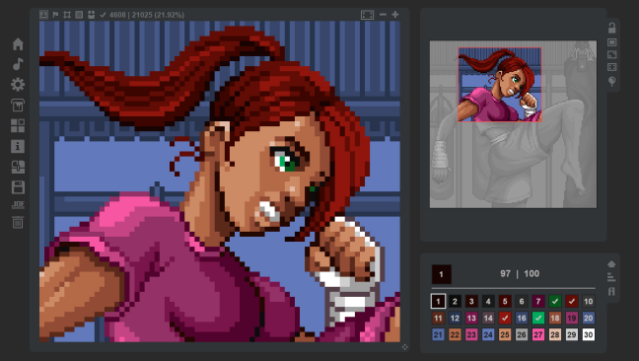
Dive into a vibrant world of creativity where painting meets graphic design. This unique blend of a coloring game and mini graphics editor allows you to relax by filling in pixels while also unleashing your artistic flair. Set against a backdrop of 150 charming images, players can immerse themselves in a stunning palette of over 3.6 million pixels.
Not only can you color by numbers, but the game also lets you modify existing images or upload your own for a truly personalized experience. With its intuitive interface and endless possibilities, this game appeals to both casual artists and seasoned creators alike. Perfect for fans of coloring games who want a bit more freedom in their artistic expression!

Instructions
- Click the Download button below and you will be redirected to UploadHaven.
- Wait 5 seconds and click on the blue ‘download now’ button. We recommend using a download manager for faster download speeds. (You can use FDM which is free here, or any other download manager).
- Once the game is finished downloading, right click the .zip file and click on “Extract to Coloring Game: Studio v2024.01.28.zip” (To do this you will need 7-Zip, which you can get here, or you can use the built in windows extractor).
- Double click inside the Coloring Game: Studio v2024.01.28 folder and run the setup application. Accept the EULA, and install the game. Then, launch the game through the desktop shortcut.
Coloring Game: Studio Free Download (v2024.01.28)
Coloring Game: Studio (v2024.01.28)
Size: 138.15 MB
Reminder: This download is completely free and won't cost you a penny. However, If you love the game and want to purchase it, you can support the developers by doing so here.
System Requirements
- OS *: Windows 7
- Processor: 1000 MHz
- Memory: 1024 MB RAM
- Graphics: Hardware support WebGL – OpenGL 2.1 (GPU Memory – 512MB)
- Storage: 212 MB available space
Screenshots