About Coloring Game: Pixel
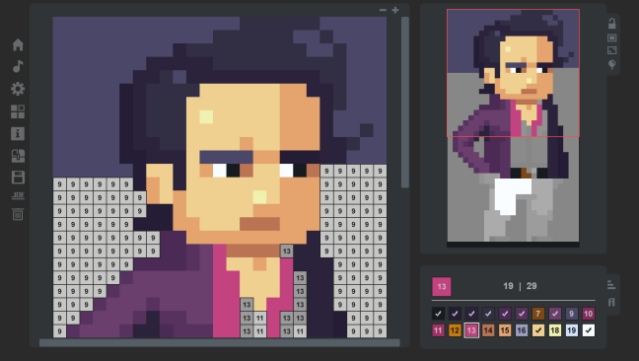
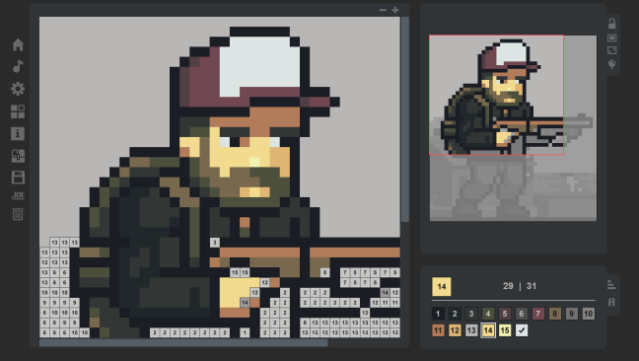
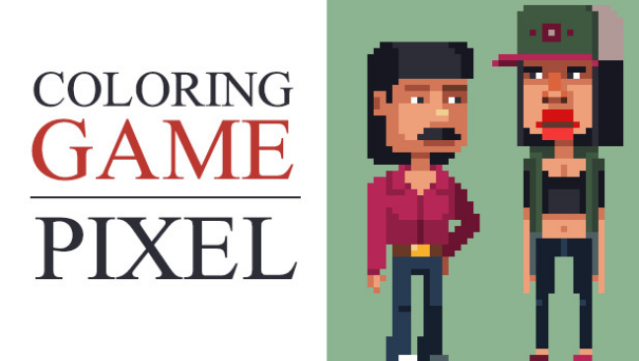
Dive into a vibrant world of creativity with this engaging coloring experience designed specifically for those who prefer a more manageable artistic challenge. This game invites players to fill in 40 smaller images, each with a maximum size of 10,000px, allowing for a satisfying and less daunting coloring session. The core gameplay revolves around selecting colors and filling in pixelated designs, keeping you entertained for 7-8 hours, especially if you choose the Pen Mode. With over 300,000 pixels to color, you also encounter new animations and exciting challenges that keep the experience fresh. If you enjoy pixel art and casual coloring games, this one’s perfect for your next creative outlet.
Instructions
- Click the Download button below and you will be redirected to UploadHaven.
- Wait 5 seconds and click on the blue ‘download now’ button. We recommend using a download manager for faster download speeds. (You can use FDM which is free here, or any other download manager).
- Once the game is finished downloading, right click the .zip file and click on “Extract to Coloring Game: Pixel.zip” (To do this you will need 7-Zip, which you can get here, or you can use the built in windows extractor).
- Double click inside the Coloring Game: Pixel folder and run the setup application. Accept the EULA, and install the game. Then, launch the game through the desktop shortcut.
Coloring Game: Pixel Free Download
Coloring Game: Pixel
Size: 137.85 MB
Reminder: This download is completely free and won't cost you a penny. However, If you love the game and want to purchase it, you can support the developers by doing so here.
System Requirements
- OS: Windows 7
- Processor: 1000 MHz
- Memory: 1024 MB RAM
- Graphics: Hardware support WebGL – OpenGL 2.1 (GPU Memory – 512MB)
- Storage: 186 MB available space
Screenshots