About Cloud Gardens
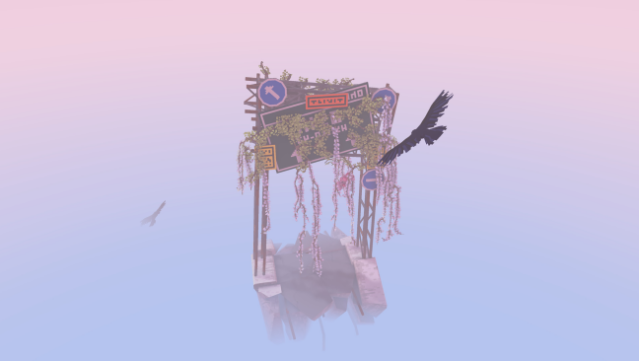
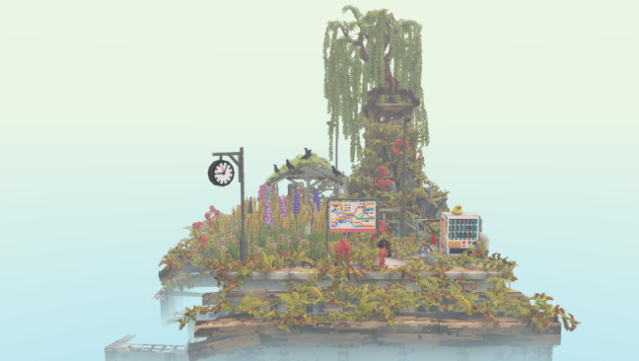
Immerse yourself in a unique blend of creativity and serene exploration as you nurture urban landscapes back to life. This game is a delightful mix of gardening simulation and puzzle-solving set against the backdrop of decaying cityscapes. Players engage in a relaxed sandbox mode with no specific goals or a multi-chapter campaign that encourages a harmonious balance between nature and man-made structures.
You plant seeds, repurpose discarded objects, and create intricate dioramas, all while ensuring that every item becomes a vibrant part of the greenery. With an extensive catalog of flora and objects to unlock, the game invites you to express your creativity freely. Plus, you can capture and share stunning videos of your creations with a lively community online.
Ideal for those who enjoy creative outlets and tranquil gaming experiences.

Instructions
- Click the Download button below and you will be redirected to UploadHaven.
- Wait 5 seconds and click on the blue ‘download now’ button. We recommend using a download manager for faster download speeds. (You can use FDM which is free here, or any other download manager).
- Once the game is finished downloading, right click the .zip file and click on “Extract to Cloud Gardens v1.1.2.zip” (To do this you will need 7-Zip, which you can get here, or you can use the built in windows extractor).
- Double click inside the Cloud Gardens v1.1.2 folder and run the setup application. Accept the EULA, and install the game. Then, launch the game through the desktop shortcut.
Cloud Gardens Free Download (v1.1.2)
Cloud Gardens (v1.1.2)
Size: 180.69 MB
Reminder: This download is completely free and won't cost you a penny. However, If you love the game and want to purchase it, you can support the developers by doing so here.
System Requirements
- Requires a 64-bit processor and operating system
- OS: Windows 8+
- Processor: 2.4GHz Dual Core
- Memory: 1 GB RAM
- Graphics: 512 MB NVIDIA GeForce 9800 / ATI Radeon HD 2600 XT
- DirectX: Version 10
- Storage: 300 MB available space
Screenshots