About Cities: Skylines II
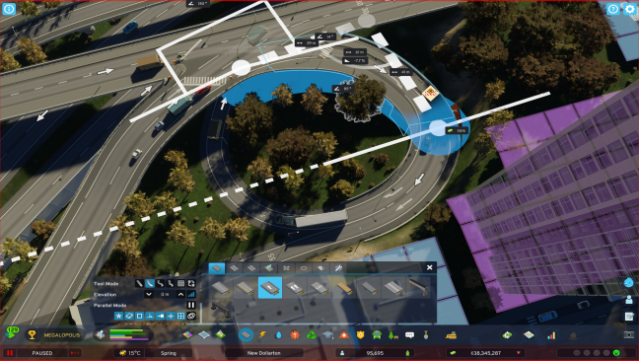
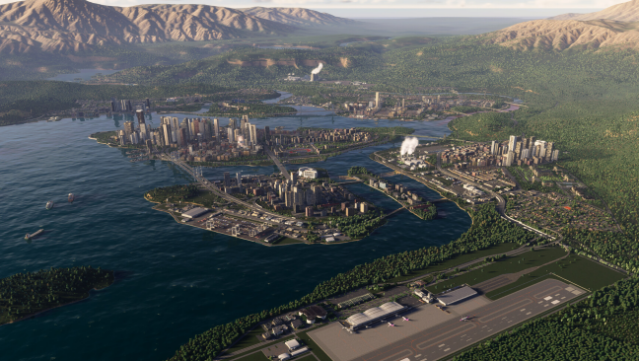
Experience the ultimate city-building challenge in a game that pushes the boundaries of simulation and creativity. This city builder invites you to create a sprawling metropolis from the ground up, managing everything from infrastructure to economy in a living world that evolves over time. Every choice you make affects daily life—can you strike a balance between vibrant downtown districts and flourishing residential areas?
With stunning high-resolution graphics and intricate AI mechanics, the game creates a dynamic environment that requires strategic thinking to navigate unexpected challenges. An active community of modders adds depth and variety, ensuring that each playthrough can feel unique.
If you enjoy games that combine creativity with complex problem-solving, this title is definitely worth checking out.

Instructions
- Click the Download button below and you will be redirected to UploadHaven.
- Wait 5 seconds and click on the blue ‘download now’ button. We recommend using a download manager for faster download speeds. (You can use FDM which is free here, or any other download manager).
- Once the game is finished downloading, right click the .zip file and click on “Extract to Cities: Skylines II v1.6.zip” (To do this you will need 7-Zip, which you can get here, or you can use the built in windows extractor).
- Double click inside the Cities: Skylines II v1.6 folder and run the setup application. Accept the EULA, and install the game. Then, launch the game through the desktop shortcut.
Cities: Skylines II Free Download (v1.6f1 & ALL DLC)
Cities: Skylines II (v1.6)
Size: 85.23 GB
Reminder: This download is completely free and won't cost you a penny. However, If you love the game and want to purchase it, you can support the developers by doing so here.
System Requirements
- Requires a 64-bit processor and operating system
- OS: Windows® 10 Home 64 Bit
- Processor: Intel® Core™ i7-6700K | AMD® Ryzen™ 5 2600X
- Memory: 8 GB RAM
- Graphics: Nvidia® GeForce™ GTX 970 (4 GB) | AMD® Radeon™ RX 480 (8 GB)
- Storage: 60 GB available space
Screenshots