About Chroma Lab
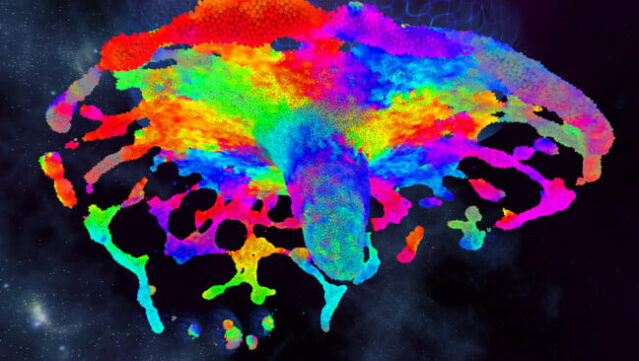
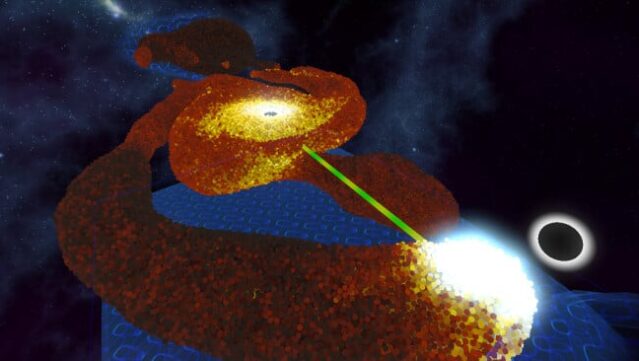
Dive into a mesmerizing world of color and fluid dynamics where your creativity knows no bounds. This virtual reality title offers a vivid simulation powered by a cutting-edge particle physics engine, allowing players to manipulate an astonishing number of particles that behave like real fluids. You can engage with the particles through intuitive tools, enabling actions like pulling, exploding, and painting, all while customizing various visual and physics settings to enhance your experience.
One standout feature is the ability to synchronize the simulation with external music, creating an even more immersive atmosphere. Players can also toggle gravity, freeze or slow time, and adjust the simulation's scale to suit different play styles, from seated to room-scale VR. Ideal for both newcomers and seasoned VR enthusiasts, this game invites anyone ready to explore an enchanting realm of swirling colors and captivating gameplay. If you love immersive simulations, this one is definitely worth your time.
Instructions
- Click the Download button below and you will be redirected to UploadHaven.
- Wait 5 seconds and click on the blue ‘download now’ button. We recommend using a download manager for faster download speeds. (You can use FDM which is free here, or any other download manager).
- Once the game is finished downloading, right click the .zip file and click on “Extract to Chroma Lab.zip” (To do this you will need 7-Zip, which you can get here, or you can use the built in windows extractor).
- Double click inside the Chroma Lab folder and run the setup application. Accept the EULA, and install the game. Then, launch the game through the desktop shortcut.
Chroma Lab Free Download
Reminder: This download is completely free and won't cost you a penny. However, If you love the game and want to purchase it, you can support the developers by doing so here.
System Requirements
- Requires a 64-bit processor and operating system
- OS *: Windows 7, 8, 10
- Processor: Any recent dual core but quad core recommended
- Memory: 4 GB RAM
- Graphics: AMD R9 280 / Nvidia GTX 970, slower may work but untested, faster = more particles!
- DirectX: Version 11
- Storage: 500 MB available space
- VR Support: SteamVR or Oculus PC
- Additional Notes: Requires a VR headset and motion controllers, closing other applications and minimising steam is recommended to avoid occasional dropped frames
Screenshots