About Cell Machine Indev
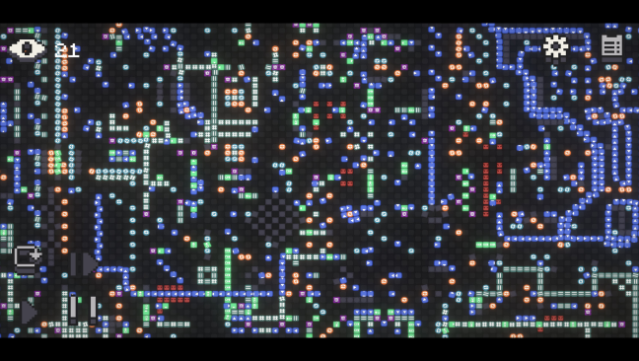
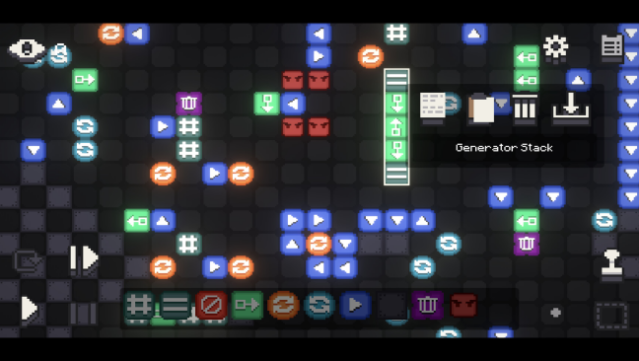
Dive into a 2D sandbox puzzle experience that brings creativity and strategy together like never before. This game serves as a sequel to the acclaimed Mystic Mod, featuring a rich grid-based environment where players manipulate unique cell types—each with distinct functions and interactions. With 30 levels included from the start, you can immerse yourself in classic Puzzle Mode, where you design machines to eliminate enemy cells. For a more open-ended experience, Vault Mode allows you to unleash your imagination with access to all cell types on the grid. The robust level editor empowers players to create and share custom levels, tapping into a community that thrives on user-generated content. Perfect for puzzle enthusiasts looking for innovative gameplay and endless challenges, this is a must-try for both newcomers and seasoned fans of the genre.
Instructions
- Click the Download button below and you will be redirected to UploadHaven.
- Wait 5 seconds and click on the blue ‘download now’ button. We recommend using a download manager for faster download speeds. (You can use FDM which is free here, or any other download manager).
- Once the game is finished downloading, right click the .zip file and click on “Extract to Cell Machine Indev v9.2.1.zip” (To do this you will need 7-Zip, which you can get here, or you can use the built in windows extractor).
- Double click inside the Cell Machine Indev v9.2.1 folder and run the setup application. Accept the EULA, and install the game. Then, launch the game through the desktop shortcut.
Cell Machine Indev Free Download (v9.2.1)
Cell Machine Indev (v9.2.1)
Size: 128.89 MB
Reminder: This download is completely free and won't cost you a penny. However, If you love the game and want to purchase it, you can support the developers by doing so here.
System Requirements
- OS: WIndows 10/11
- Processor: 32 Bit/ 64 Bit
- Memory: 2 GB RAM
- Graphics: Requires GPU instancing
Screenshots