About Casino Inc.
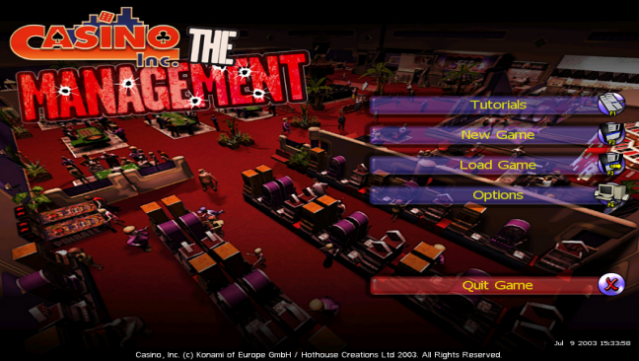
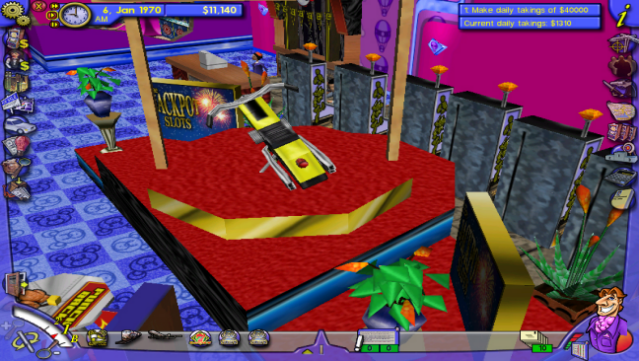
This game takes you back to the glitzy 1970s, where you can build and manage your own casino empire. As a strategy simulation, it immerses you in the thrills of operating gaming establishments across three fictional cities—Little Hope Springs, Fortune Falls, and Chancersville. You start small, perhaps with a couple of slot machines, but as you expand, you cater to a diverse clientele, from high rollers to casual gamblers.
The game offers over 120 unique characters, giving depth to your interactions, while more than 50 attractions enhance your casino's appeal. You can design hotels ranging from one to five stars and even implement transportation services like limos and shuttles. Plus, if you're feeling devious, you can sabotage your competition in outrageous ways. If you enjoy strategic gameplay with a flair for the dramatic, this one's a must-try.

Instructions
- Click the Download button below and you will be redirected to UploadHaven.
- Wait 5 seconds and click on the blue ‘download now’ button. We recommend using a download manager for faster download speeds. (You can use FDM which is free here, or any other download manager).
- Once the game is finished downloading, right click the .zip file and click on “Extract to Casino Inc..zip” (To do this you will need 7-Zip, which you can get here, or you can use the built in windows extractor).
- Double click inside the Casino Inc. folder and run the setup application. Accept the EULA, and install the game. Then, launch the game through the desktop shortcut.
Casino Inc. Free Download
Reminder: This download is completely free and won't cost you a penny. However, If you love the game and want to purchase it, you can support the developers by doing so here.
System Requirements
- OS *: Windows XP/Vista/7/8/10
- Processor: Pentium 2 450 or better
- Memory: 64 MB RAM
- Graphics: 16MB 3D Graphics Card
- DirectX: Version 8.1
- Storage: 2 GB available space
- Sound Card: Windows Compatible
- Additional Notes: Please note: This is an old game, on some PC setups, it may not work. Check the discussions for advice
Screenshots