About Candy Shop Simulator
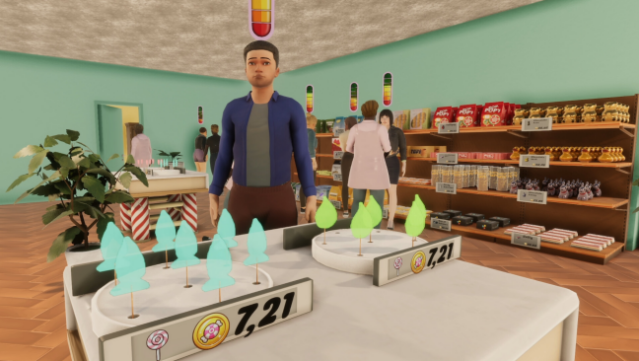
Step into a sugary paradise where your creativity and business savvy can shine in the world of confectionery. This simulation game places you in charge of your very own candy shop filled with endless possibilities for crafting delightful treats. You mix and match flavors to create everything from gourmet chocolates to chewy gummies, developing a signature line that draws customers in.
The core gameplay loop revolves around recipe experimentation, customer management, and strategic business decisions. You’ll need to balance your inventory and pricing while crafting an enticing atmosphere that attracts a bustling crowd eager for your sweets. As you progress, you can expand your shop, unlock new recipes, and implement marketing strategies to keep those customers returning for more.
This game is perfect for anyone who enjoys simulation games with a sweet twist or has a passion for baking and business.

Instructions
- Click the Download button below and you will be redirected to UploadHaven.
- Wait 5 seconds and click on the blue ‘download now’ button. We recommend using a download manager for faster download speeds. (You can use FDM which is free here, or any other download manager).
- Once the game is finished downloading, right click the .zip file and click on “Extract to Candy Shop Simulator.zip” (To do this you will need 7-Zip, which you can get here, or you can use the built in windows extractor).
- Double click inside the Candy Shop Simulator folder and run the setup application. Accept the EULA, and install the game. Then, launch the game through the desktop shortcut.
Candy Shop Simulator Free Download
Candy Shop Simulator
Size: 1.23 GB
Reminder: This download is completely free and won't cost you a penny. However, If you love the game and want to purchase it, you can support the developers by doing so here.
System Requirements
- OS: Windows 10 64 Bit
- Processor: Intel Core i5 3.0 GHz
- Memory: 8 GB RAM
- Graphics: NVidia GeForce GTX 780
- DirectX: Version 10
- Storage: 10 GB available space
- Additional Notes: Recommend installation on an SSD drive
Screenshots