About BONELAB
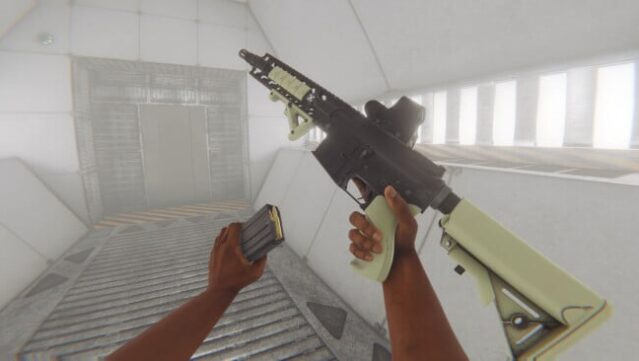
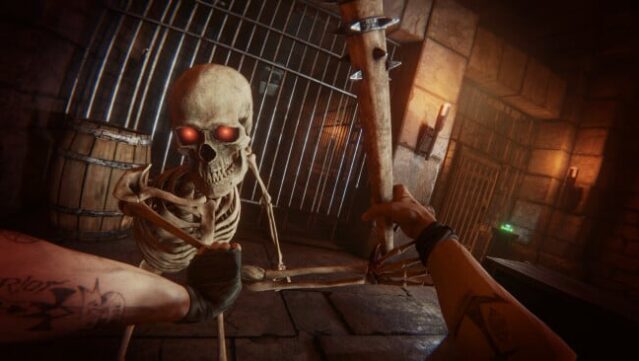
Dive into a gripping VR experience where your fate is not set in stone. This game combines elements of exploration and puzzle-solving within a mysterious underground research facility, as you unravel the layered narrative of MythOS city. You'll engage in a variety of gameplay modes, from intense arenas to intricate obstacle courses, each offering unique challenges and environments to explore.
The standout feature here is the enhanced physics system, which allows for ultra-realistic interactions and dynamic combat, whether you're using melee, ranged, or even bizarre physics-based weapons. Plus, the ability to import custom avatars means you can personalize your experience, tailoring your character's look and abilities to suit your style.
This is a must-play for fans of immersive storytelling and innovative VR mechanics. If you enjoyed engaging narratives and physical gameplay in your VR adventures, this one’s definitely worth your time.
Instructions
- Click the Download button below and you will be redirected to UploadHaven.
- Wait 5 seconds and click on the blue ‘download now’ button. We recommend using a download manager for faster download speeds. (You can use FDM which is free here, or any other download manager).
- Once the game is finished downloading, right click the .zip file and click on “Extract to BONELAB.zip” (To do this you will need 7-Zip, which you can get here, or you can use the built in windows extractor).
- Double click inside the BONELAB folder and run the setup application. Accept the EULA, and install the game. Then, launch the game through the desktop shortcut.
BONELAB Free Download
Reminder: This download is completely free and won't cost you a penny. However, If you love the game and want to purchase it, you can support the developers by doing so here.
System Requirements
- Requires a 64-bit processor and operating system
- OS: Windows 10
- Processor: Intel i5 7600 3.5ghz+
- Memory: 8 GB RAM
- Graphics: GTX 1070 / 1660TI (6GB VRAM)
- DirectX: Version 11
- Network: Broadband Internet connection
- Storage: 20 GB available space
- Sound Card: –
- VR Support: SteamVR or OpenXR
- Additional Notes: CPU performance required for physics calculations! SSD Required, 32GB Windows Virtual Memory Cache
Screenshots