About Blue Rider
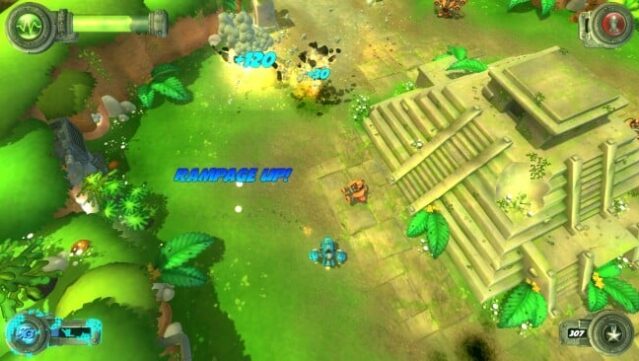
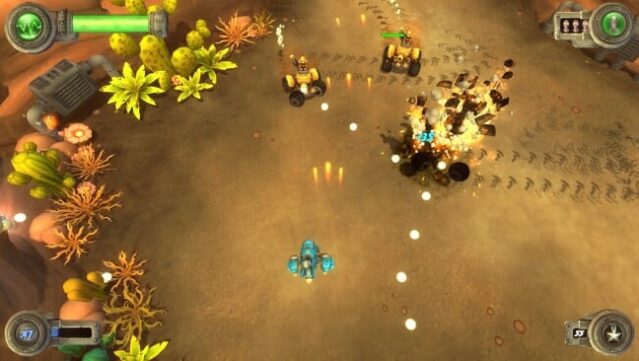
Step into a vibrant, adrenaline-fueled realm where the stakes are high and the action never stops. This shoot-em-up game propels you through nine meticulously crafted biomes, each brimming with relentless foes and explosive bullet patterns that test your reflexes to the max. You'll encounter formidable robot bosses that require not only quick thinking but also clever strategy to defeat, making each encounter a thrilling challenge.
The game’s customizable arsenal lets you tailor your loadout to fit your personal playstyle, adding a layer of depth to the intense gameplay. With an original orchestral soundtrack accompanying your journey, every clash feels exhilarating and immersive. This title is perfect for those who crave fast-paced action and enjoy a steep challenge—whether you're a seasoned veteran of the genre or just diving in. If you love intense shoot-em-ups, this one's definitely worth a shot.

Instructions
- Click the Download button below and you will be redirected to UploadHaven.
- Wait 5 seconds and click on the blue ‘download now’ button. We recommend using a download manager for faster download speeds. (You can use FDM which is free here, or any other download manager).
- Once the game is finished downloading, right click the .zip file and click on “Extract to Blue Rider v2016.07.07.zip” (To do this you will need 7-Zip, which you can get here, or you can use the built in windows extractor).
- Double click inside the Blue Rider v2016.07.07 folder and run the setup application. Accept the EULA, and install the game. Then, launch the game through the desktop shortcut.
Blue Rider Free Download (v2016.07.07)
Blue Rider (v2016.07.07)
Size: 436.25 MB
Reminder: This download is completely free and won't cost you a penny. However, If you love the game and want to purchase it, you can support the developers by doing so here.
System Requirements
- OS *: Windows 7
- Processor: Intel i5
- Memory: 2 GB RAM
- DirectX: Version 9.0
- Storage: 650 MB available space
- Additional Notes: Recommended gamepad
Screenshots