About Apex Aim Trainer
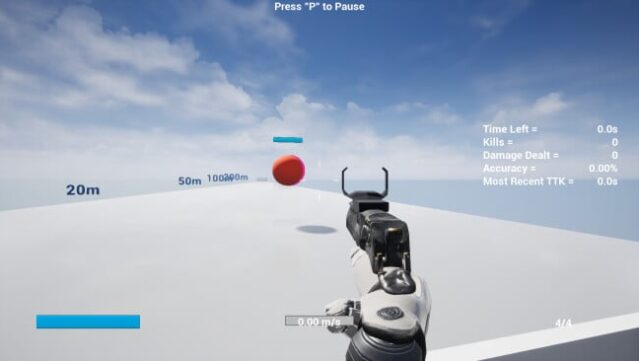
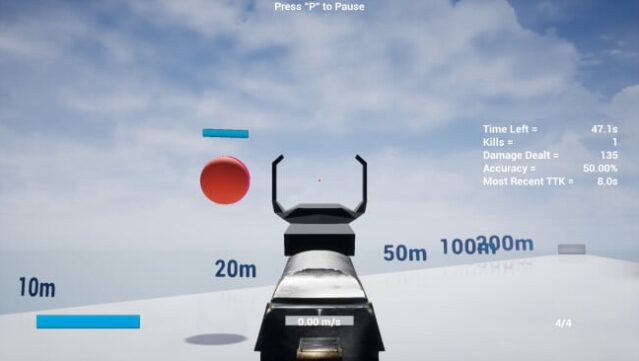
This training tool transforms your aim and reflexes for Apex Legends, providing an edge in the competitive shooter landscape. As a dedicated aim trainer, it mirrors the game’s field of view and mouse sensitivity, allowing for a smooth practice-to-game transition. You get access to a variety of weapons that reflect those found in Apex Legends, complete with realistic attachments and optics for an authentic experience.
An aim assistant helps you master leading shots, enhancing your sniping abilities, while customizable bot behaviors let you simulate different combat scenarios. You can tweak their movement patterns and speed, allowing for targeted practice that improves your tracking and target acquisition skills. If you’re serious about stepping up your game in Apex Legends, this trainer is a valuable asset for any player looking to sharpen their shooting precision.
Instructions
- Click the Download button below and you will be redirected to UploadHaven.
- Wait 5 seconds and click on the blue ‘download now’ button. We recommend using a download manager for faster download speeds. (You can use FDM which is free here, or any other download manager).
- Once the game is finished downloading, right click the .zip file and click on “Extract to Apex Aim Trainer.zip” (To do this you will need 7-Zip, which you can get here, or you can use the built in windows extractor).
- Double click inside the Apex Aim Trainer folder and run the setup application. Accept the EULA, and install the game. Then, launch the game through the desktop shortcut.
Apex Aim Trainer Free Download
Apex Aim Trainer
Size: 2.40 GB
Reminder: This download is completely free and won't cost you a penny. However, If you love the game and want to purchase it, you can support the developers by doing so here.
System Requirements
- Requires a 64-bit processor and operating system
- OS *: Windows 7 / 10 64bit
- Processor: Intel Core i3
- Memory: 4 GB RAM
- Graphics: Nvidia GeForce GTX 950
- DirectX: Version 11
- Storage: 8 GB available space
Screenshots