About AirportSim
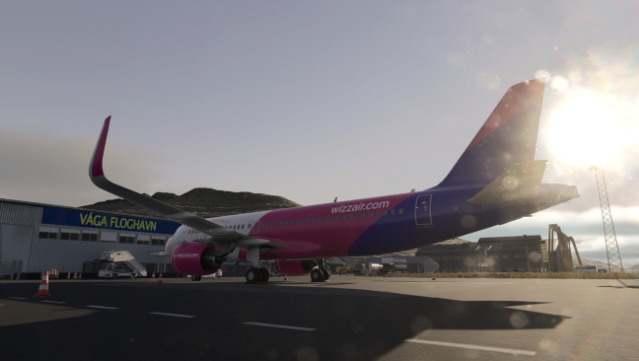
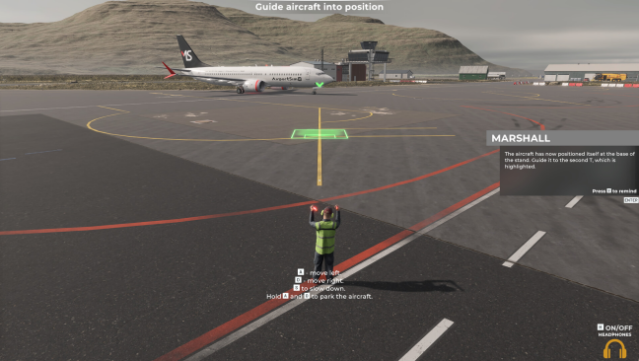
Step into the bustling world of airport operations where every detail counts, and you’re in charge of the ground crew. This simulation game immerses you in a lifelike airport environment, featuring meticulously recreated layouts and real-world aviation charts for authentic navigation. Your core gameplay revolves around managing various ground handling tasks, from marshalling aircraft and securing planes to fuelling and luggage handling.
What sets this game apart is its commitment to realism, with tasks designed based on interviews with actual airport staff, ensuring an accurate portrayal of the ground handling experience. You’ll also engage with various equipment, like GPUs and jetways, adding to the depth of the simulation.
This game appeals to those who thrive on precision and enjoy complex logistics, making it perfect for fans of simulation and management genres. If you love immersive experiences with a focus on detail, this one’s definitely for you.

Instructions
- Click the Download button below and you will be redirected to UploadHaven.
- Wait 5 seconds and click on the blue ‘download now’ button. We recommend using a download manager for faster download speeds. (You can use FDM which is free here, or any other download manager).
- Once the game is finished downloading, right click the .zip file and click on “Extract to AirportSim v1.4.0 & ALL DLC.zip” (To do this you will need 7-Zip, which you can get here, or you can use the built in windows extractor).
- Double click inside the AirportSim v1.4.0 & ALL DLC folder and run the setup application. Accept the EULA, and install the game. Then, launch the game through the desktop shortcut.
AirportSim Free Download (v1.4.0 & ALL DLC)
AirportSim (v1.4.0 & ALL DLC)
Size: 5.29 GB
Reminder: This download is completely free and won't cost you a penny. However, If you love the game and want to purchase it, you can support the developers by doing so here.
System Requirements
- OS: Windows 10, 11
- Processor: i5
- Memory: 8 GB RAM
- Graphics: NVIDIA GeForce GTX1060
- DirectX: Version 11
- Storage: 12 GB available space
- Additional Notes: 1920×1080
Screenshots