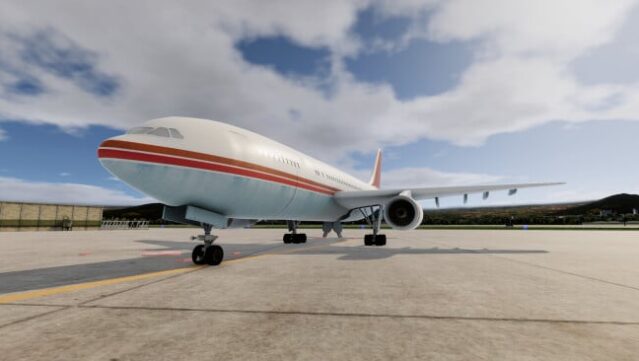
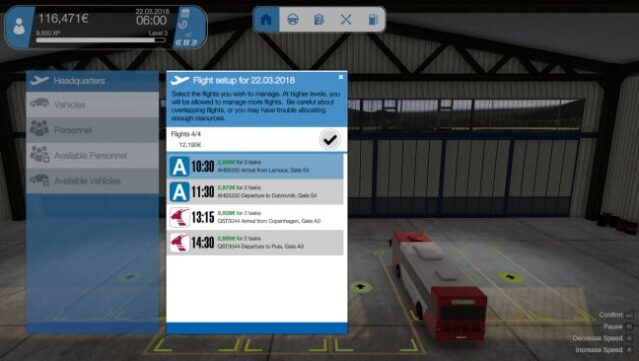
About Airport Simulator 2019
Step into the role of airport manager and experience the thrill of running a bustling international hub. This simulation game immerses you in the complexities of airport operations where you are responsible for everything from strategic planning to personnel management. You start by handling tasks directly, but as you progress, you can delegate responsibilities like fueling, baggage handling, and security to trained staff, allowing you to focus on the bigger picture.
The game shines with its realistic features, including vehicle damage and personnel injuries, which add layers of challenge to your management duties. You can also expand your airport with new runways and facilities to accommodate larger aircraft, while intelligent AI assists you in keeping operations smooth. Additionally, you have the unique ability to drive any vehicle on site, blending strategy with action. If you enjoy management simulators that demand both tactical thinking and hands-on engagement, this game is worth checking out.

Instructions
- Click the Download button below and you will be redirected to UploadHaven.
- Wait 5 seconds and click on the blue ‘download now’ button. We recommend using a download manager for faster download speeds. (You can use FDM which is free here, or any other download manager).
- Once the game is finished downloading, right click the .zip file and click on “Extract to Airport Simulator 2019.zip” (To do this you will need 7-Zip, which you can get here, or you can use the built in windows extractor).
- Double click inside the Airport Simulator 2019 folder and run the setup application. Accept the EULA, and install the game. Then, launch the game through the desktop shortcut.
Airport Simulator 2019 Free Download
Airport Simulator 2019
Size: 683.66 MB
Reminder: This download is completely free and won't cost you a penny. However, If you love the game and want to purchase it, you can support the developers by doing so here.
System Requirements
- Requires a 64-bit processor and operating system
- OS *: Windows 7, 8.1, 10 (x64)
- Processor: Intel Core 2 Duo Dualcore, AMD X2 Dualcore with 3.0 GHz
- Memory: 6 GB RAM
- Graphics: NVIDIA GeForce GTX 280, AMD Radeon HD 4870
- DirectX: Version 10
- Storage: 2 GB available space
Screenshots