About Airport Baggage Simulator
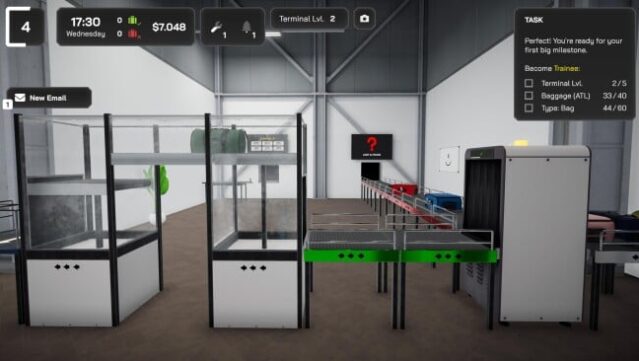
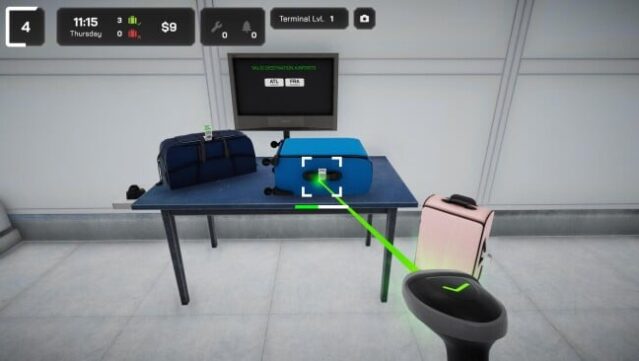
Stepping into the hectic world of airport logistics, you take on the crucial role of a baggage handler, tasked with ensuring smooth operations in a busy terminal. This simulation game challenges you to scan luggage, sort suitcases, and load them onto carts, all while aiming to optimize efficiency. You use a tablet to invest in automated systems and conveyor belts, transforming manual tasks into seamless processes. With reliable deliveries from your assistant, you can continuously upgrade your setup and expand your workspace.
As you progress, you unlock advanced checks, new baggage types, and opportunities to manage multiple airports, each with its unique set of challenges. You also get to personalize your living space, which boosts your efficiency. If you enjoy strategic management games and have a knack for logistics, this title is right up your alley.
Instructions
- Click the Download button below and you will be redirected to UploadHaven.
- Wait 5 seconds and click on the blue ‘download now’ button. We recommend using a download manager for faster download speeds. (You can use FDM which is free here, or any other download manager).
- Once the game is finished downloading, right click the .zip file and click on “Extract to Airport Baggage Simulator v1.0.13.zip” (To do this you will need 7-Zip, which you can get here, or you can use the built in windows extractor).
- Double click inside the Airport Baggage Simulator v1.0.13 folder and run the setup application. Accept the EULA, and install the game. Then, launch the game through the desktop shortcut.
Airport Baggage Simulator Free Download (v1.0.13)
Airport Baggage Simulator (v1.0.13)
Size: 2.16 GB
Reminder: This download is completely free and won't cost you a penny. However, If you love the game and want to purchase it, you can support the developers by doing so here.
System Requirements
- Requires a 64-bit processor and operating system
- OS: Windows 10, Windows 11
- Processor: Intel i5-series Quadcore, AMD Ryzen-series
- Memory: 8 GB RAM
- Graphics: NVIDIA GeForce GTX 1060, AMD Radeon RX 590
- Storage: 8 GB available space
Screenshots