About Airline Ops
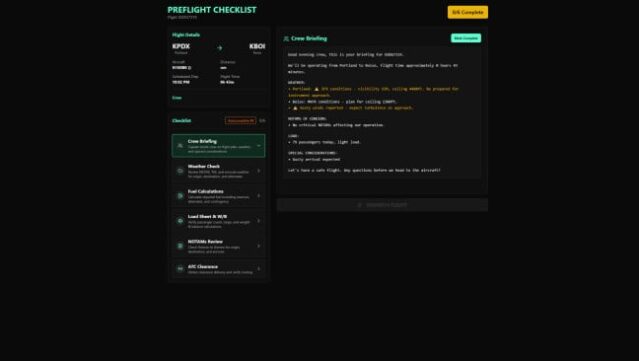
Step into the skies and take charge of your very own airline empire in this engaging management sim that caters to both casual and hardcore players alike. You can choose between a streamlined Simple Mode, where launching flights is a breeze thanks to one-click dispatch and auto-repeat functions, or dive into the more intricate Simulation Mode, which offers a hands-on approach with preflight checklists and crew management. With a sprawling network of 4,878 real-world airports and over 373 aircraft types at your disposal, you can watch your planes navigate a live global map influenced by real-time weather. As you progress, aim for the prestigious Elite Operator Status to unlock exclusive rewards, including collectible planes, and earn your place on the leaderboards. Perfect for fans of simulation games and airline enthusiasts alike, this title delivers a rich and dynamic experience.

Instructions
- Click the Download button below and you will be redirected to UploadHaven.
- Wait 5 seconds and click on the blue ‘download now’ button. We recommend using a download manager for faster download speeds. (You can use FDM which is free here, or any other download manager).
- Once the game is finished downloading, right click the .zip file and click on “Extract to Airline Ops v0.1.0.zip” (To do this you will need 7-Zip, which you can get here, or you can use the built in windows extractor).
- Double click inside the Airline Ops v0.1.0 folder and run the setup application. Accept the EULA, and install the game. Then, launch the game through the desktop shortcut.
Airline Ops Free Download (v0.1.0)
Airline Ops (v0.1.0)
Size: 721.37 MB
Reminder: This download is completely free and won't cost you a penny. However, If you love the game and want to purchase it, you can support the developers by doing so here.
System Requirements
- Requires a 64-bit processor and operating system
- OS: Windows 10/11 (64-bit)
- Processor: Intel Core i5-7400 or AMD Ryzen 5 1600
- Memory: 8 GB RAM
- Graphics: NVIDIA GTX 960 / AMD Radeon R9 380 or equivalent with 2 GB VRAM
- Network: Broadband Internet connection
- Storage: 5 GB available space
- Sound Card: Any DirectX-compatible sound card
- VR Support: Not supported
- Additional Notes: Designed for 1080p displays. Performance scales with simulation size and active routes.
Screenshots