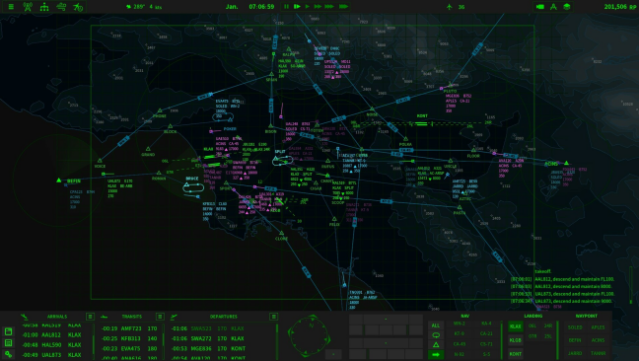
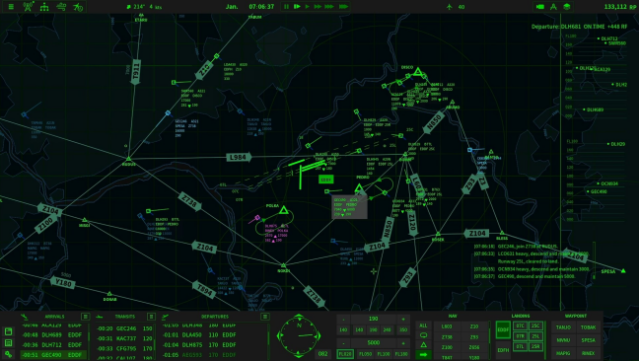
About Air Traffic: Greenlight
This game immerses players in the thrilling world of air traffic control, where quick thinking and sharp spatial awareness are key. Set against the backdrop of real-world terrain, players manage the flow of aircraft while navigating challenges like limited radar coverage and shifting wind conditions. The core gameplay loop revolves around safely directing planes, balancing the demands of air traffic with fuel management and terrain awareness to prevent crashes.
Notable features include the ability to expand your radar network as you earn reputation points, dynamic wind factors that affect landing and takeoff, and the flexibility to reroute flights to maintain order. Each aircraft type adds another layer of complexity with unique performance metrics to consider.
Ideal for fans of strategy and simulation games, this title offers a rich experience that tests your management skills under pressure. If you enjoyed managing logistics in games like Factorio or Cities: Skylines, give this one a shot.
Instructions
- Click the Download button below and you will be redirected to UploadHaven.
- Wait 5 seconds and click on the blue ‘download now’ button. We recommend using a download manager for faster download speeds. (You can use FDM which is free here, or any other download manager).
- Once the game is finished downloading, right click the .zip file and click on “Extract to Air Traffic: Greenlight v2.14.5.zip” (To do this you will need 7-Zip, which you can get here, or you can use the built in windows extractor).
- Double click inside the Air Traffic: Greenlight v2.14.5 folder and run the setup application. Accept the EULA, and install the game. Then, launch the game through the desktop shortcut.
Air Traffic: Greenlight Free Download (v2.14.5)
Air Traffic: Greenlight (v2.14.5)
Size: 396.05 MB
Reminder: This download is completely free and won't cost you a penny. However, If you love the game and want to purchase it, you can support the developers by doing so here.
System Requirements
- Requires a 64-bit processor and operating system
- OS: Windows10
- Processor: Dual Core 2 GHz
- Memory: 1 GB RAM
- Graphics: Intel HD 4600 (AMD or NVIDIA equivalent)
- Storage: 1 GB available space
Screenshots