About Liberation Special Forces
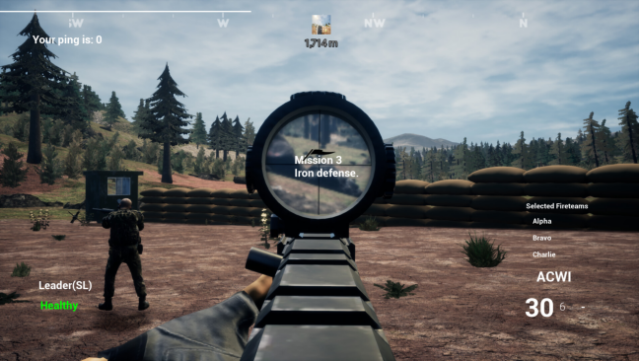
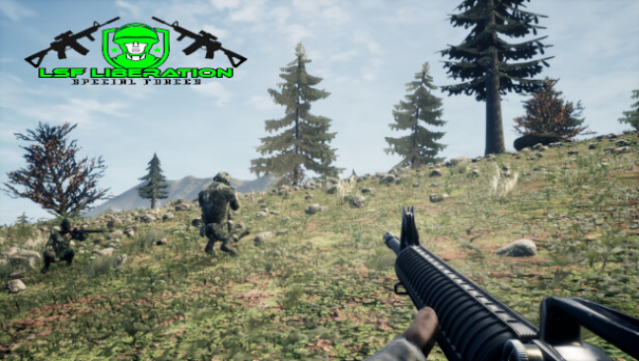
Step into the role of a tactical commander in a gripping blend of first-person shooting and strategy. Set against a backdrop of oppression, you lead a small squad aimed at dismantling the forces terrorizing innocent lives. The gameplay revolves around using cunning strategies such as flanking maneuvers, suppressive fire, and stealth, allowing for a dynamic combat experience.
With access to ten different weapons, including sniper rifles for precision strikes, machine guns for area control, and versatile assault rifles for direct assaults, you can customize your approach to each mission. The challenge lies in balancing firepower with strategy, as you work to free those under threat.
This game is perfect for fans of tactical shooters who appreciate a challenge and enjoy teamwork in their gameplay.
Instructions
- Click the Download button below and you will be redirected to UploadHaven.
- Wait 5 seconds and click on the blue ‘download now’ button. We recommend using a download manager for faster download speeds. (You can use FDM which is free here, or any other download manager).
- Once the game is finished downloading, right click the .zip file and click on “Extract to Liberation Special Forces v0.996.zip” (To do this you will need 7-Zip, which you can get here, or you can use the built in windows extractor).
- Double click inside the Liberation Special Forces v0.996 folder and run the setup application. Accept the EULA, and install the game. Then, launch the game through the desktop shortcut.
Liberation Special Forces Free Download (v0.996)
Liberation Special Forces (v0.996)
Size: 2.09 GB
Reminder: This download is completely free and won't cost you a penny. However, If you love the game and want to purchase it, you can support the developers by doing so here.
System Requirements
- Requires a 64-bit processor and operating system
- OS: Windows 10, Windows 11.
- Processor: at elast I5
- Memory: 8 GB RAM
- Graphics: NVIDIA latest. or other powerful ones.
- DirectX: Version 11
- Storage: 5 GB available space
- Sound Card: Any sound card
- Additional Notes: If you don’t have a powerful computer turn on the low graphical settings.
Screenshots