About Heaven's Vault
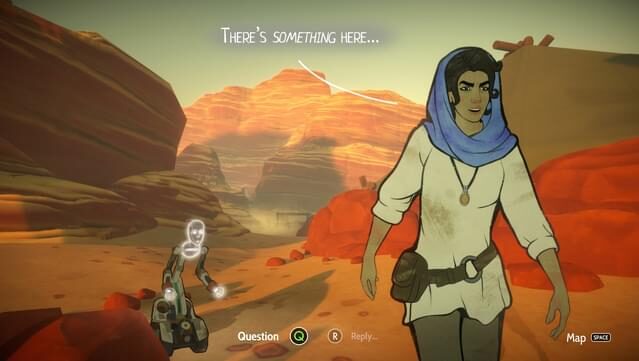
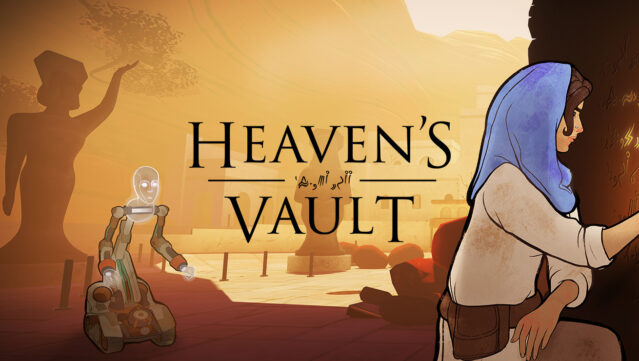
Dive into a captivating narrative adventure that combines exploration and puzzle-solving in a stunningly crafted universe. Set in the enigmatic Nebula, you step into the shoes of archaeologist Aliya Elasra and her robotic companion, Six, as they search for the truth behind a missing roboticist. The gameplay revolves around navigating vast space-rivers, unearthing forgotten ruins, and decoding ancient hieroglyphics that reveal the rich history of this world. With an emphasis on player choice, the story unfolds uniquely based on your decisions and curiosity, making each playthrough feel personal. If you enjoy immersive storytelling and the thrill of discovery, this game is definitely worth your time.
Instructions
- Click the Download button below and you will be redirected to UploadHaven.
- Wait 5 seconds and click on the blue ‘download now’ button. We recommend using a download manager for faster download speeds. (You can use FDM which is free here, or any other download manager).
- Once the game is finished downloading, right click the .zip file and click on “Extract to Heaven's Vault v1.11.zip” (To do this you will need 7-Zip, which you can get here, or you can use the built in windows extractor).
- Double click inside the Heaven's Vault v1.11 folder and run the setup application. Accept the EULA, and install the game. Then, launch the game through the desktop shortcut.
Heaven’s Vault Free Download (v1.11)
Heaven's Vault (v1.11)
Size: 2.27 GB
Reminder: This download is completely free and won't cost you a penny. However, If you love the game and want to purchase it, you can support the developers by doing so here.
System Requirements
- Windows 7 or later
- SSE2 instruction set support
- 4 GB RAM
- Nvidia Geforce GTX 660 / AMD Radeon HD 7850, 2+ Gb of vram
- Version 10
- 5 GB available space
- Not recommended for Intel HD GPUs
Screenshots