About DownTheDead
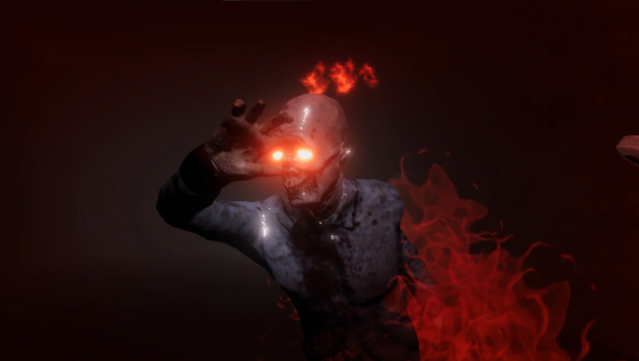
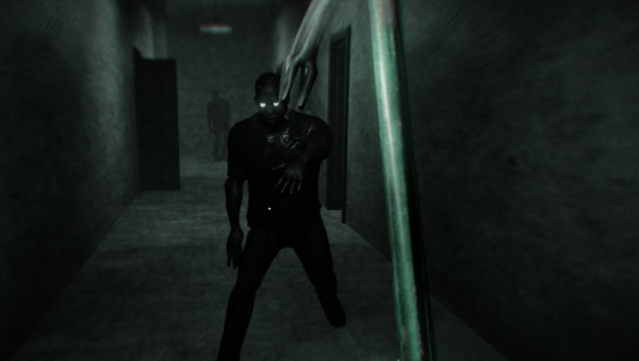
Immerse yourself in a gripping survival horror experience where every corner of a government research facility hides dangers and secrets. As a first-person shooter, this game thrusts players into a chaotic outbreak, requiring them to navigate through eerie hallways while piecing together their character's past and the events that led to the zombie crisis. The gameplay revolves around exploration, combat, and puzzle-solving, with players arming themselves for survival against relentless threats.
Standout features include a dynamic difficulty system that adapts to your skills, ensuring the challenge remains intense, and a suspenseful atmosphere that keeps you on edge. With a compelling storyline and various obstacles to overcome, this game is tailored for those who crave tension and excitement in their gaming sessions. If you enjoy survival horror with a rich narrative, this one deserves your attention.

Instructions
- Click the Download button below and you will be redirected to UploadHaven.
- Wait 5 seconds and click on the blue ‘download now’ button. We recommend using a download manager for faster download speeds. (You can use FDM which is free here, or any other download manager).
- Once the game is finished downloading, right click the .zip file and click on “Extract to DownTheDead v0.14.1.zip” (To do this you will need 7-Zip, which you can get here, or you can use the built in windows extractor).
- Double click inside the DownTheDead v0.14.1 folder and run the setup application. Accept the EULA, and install the game. Then, launch the game through the desktop shortcut.
DownTheDead Free Download (v0.14.1)
DownTheDead (v0.14.1)
Size: 456.71 MB
Reminder: This download is completely free and won't cost you a penny. However, If you love the game and want to purchase it, you can support the developers by doing so here.
System Requirements
- OS *: Windows XP/Vista/7/8/10
- Processor: 1.7 GHz processor or equivalent
- Memory: 1500 MB RAM
- Graphics: ATI Radeon 9600 or Nvidia GeForce 500 series
- DirectX: Version 9.0
- Network: Broadband Internet connection
- Storage: 500 MB available space
- Sound Card: DirectX 9.0 compatible sound
Screenshots