About Rocket Rumble
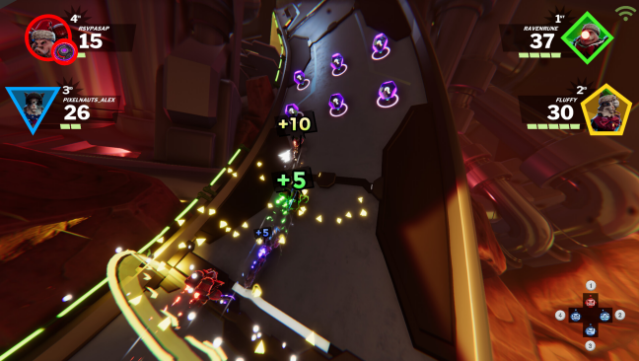
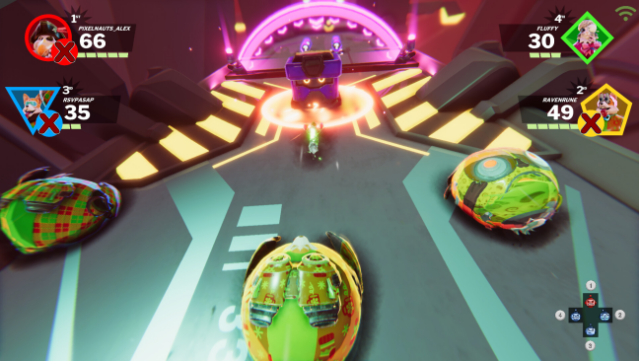
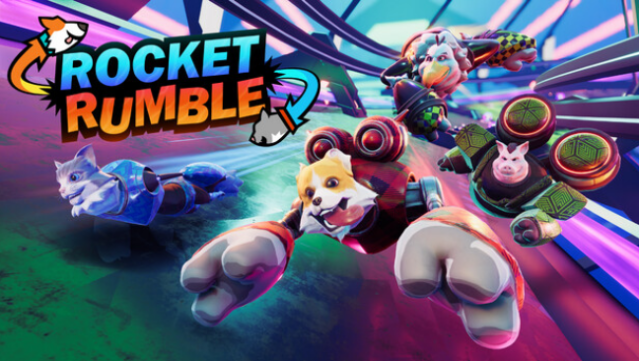
Rocket Rumble is an exhilarating mashup of party racing and brawler gameplay that keeps you on your toes. Set in a vibrant, sci-fi world, players control a quirky cast of rocket-powered animals as they race through procedurally generated tracks filled with obstacles and hazards. The core gameplay loop revolves around racing, collecting points by crossing checkpoints, and dishing out damage to knock opponents off the course.
With respawns at each checkpoint, there's no downtime, ensuring the action never stops. You can enjoy local multiplayer with friends or dive into online matches, all while navigating dynamic levels that change every time you play. The simple control scheme makes it accessible, and with customizable characters boasting endless item combinations, you can create a racer that truly stands out.
This game is perfect for players who love chaotic racing experiences with a twist, making it a fantastic choice for fans of party games.
Instructions
- Click the Download button below and you will be redirected to UploadHaven.
- Wait 5 seconds and click on the blue ‘download now’ button. We recommend using a download manager for faster download speeds. (You can use FDM which is free here, or any other download manager).
- Once the game is finished downloading, right click the .zip file and click on “Extract to Rocket Rumble.zip” (To do this you will need 7-Zip, which you can get here, or you can use the built in windows extractor).
- Double click inside the Rocket Rumble folder and run the setup application. Accept the EULA, and install the game. Then, launch the game through the desktop shortcut.
Rocket Rumble Free Download
Reminder: This download is completely free and won't cost you a penny. However, If you love the game and want to purchase it, you can support the developers by doing so here.
System Requirements
- OS: Windows 10
- Processor: Intel Core I5 Series
- Memory: 4 GB RAM
- Graphics: GeForce 9 Series or similar
- Storage: 3 GB available space
Screenshots