About Overmorrow
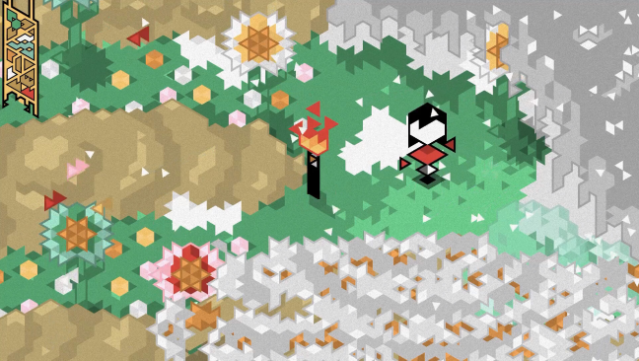
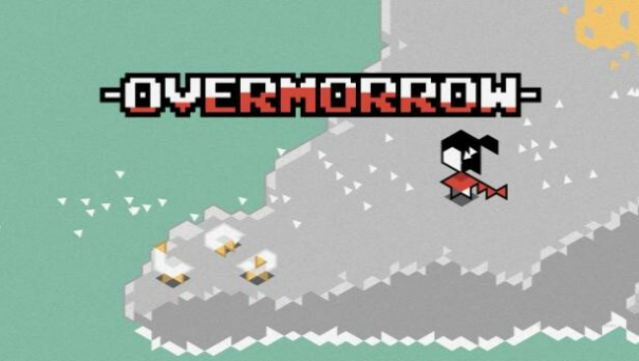
Dive into an intriguing world filled with exploration and mind-bending puzzles that challenge your perception. This indie gem invites players to roam a beautifully crafted 2D island, where each screen reveals its own unique artwork and hidden secrets. The game emphasizes unguided exploration, allowing you to uncover Runes that expand your daily actions, promoting a deeper investigation of this mysterious environment.
With no time constraints, you can absorb the serene atmosphere while strategically managing your Runes. When they run out, resting not only restores them but also advances the story—however, be cautious, as your save files face deletion after 30 days. The enigmatic narrative keeps you guessing, making every discovery feel significant and layered. If you appreciate games that reward curiosity and patience, this one's definitely up your alley.
Instructions
- Click the Download button below and you will be redirected to UploadHaven.
- Wait 5 seconds and click on the blue ‘download now’ button. We recommend using a download manager for faster download speeds. (You can use FDM which is free here, or any other download manager).
- Once the game is finished downloading, right click the .zip file and click on “Extract to Overmorrow.zip” (To do this you will need 7-Zip, which you can get here, or you can use the built in windows extractor).
- Double click inside the Overmorrow folder and run the setup application. Accept the EULA, and install the game. Then, launch the game through the desktop shortcut.
Overmorrow Free Download
Reminder: This download is completely free and won't cost you a penny. However, If you love the game and want to purchase it, you can support the developers by doing so here.
System Requirements
- OS *: Windows XP, Vista, 7, 8, 10
- Memory: 2 GB RAM
- Graphics: 128MB
- Storage: 200 MB available space
Screenshots