About School Paranormal Laboratory
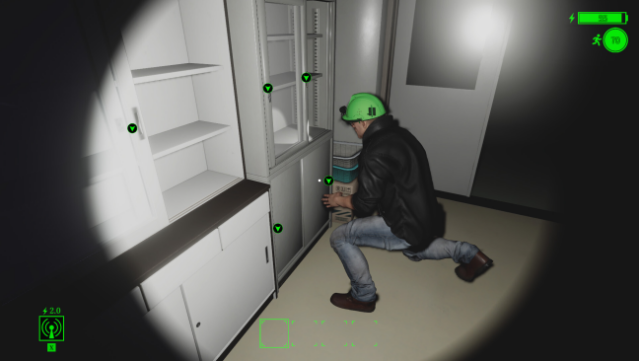
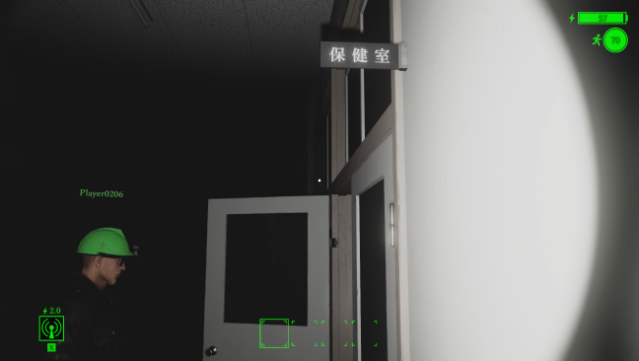
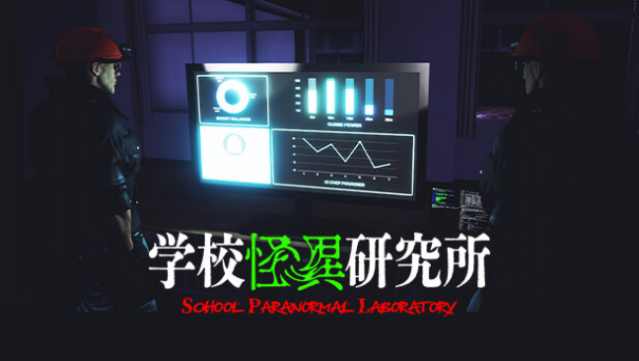
Step into the eerie world of school investigations, where you're not just solving mysteries but also encountering real paranormal phenomena. This unique blend of adventure and horror is set in an educational environment where you take on the role of an investigator at a research institute focused on uncovering curses and grudges lurking in schools. The gameplay revolves around conducting field surveys at night, where you search for cursed objects to collect points while capturing data on supernatural occurrences through smart glasses.
Equipped with helmet-type headgear, you'll enhance your investigation with IC chips that provide various boosts, making each exploration feel fresh and strategic. The nighttime setting adds an extra layer of tension and excitement, as you never know when a paranormal event might unfold. This game is perfect for fans of mystery and the supernatural, especially those who enjoy unraveling stories hidden within the walls of seemingly ordinary places.
Instructions
- Click the Download button below and you will be redirected to UploadHaven.
- Wait 5 seconds and click on the blue ‘download now’ button. We recommend using a download manager for faster download speeds. (You can use FDM which is free here, or any other download manager).
- Once the game is finished downloading, right click the .zip file and click on “Extract to School Paranormal Laboratory v1.0.1.zip” (To do this you will need 7-Zip, which you can get here, or you can use the built in windows extractor).
- Double click inside the School Paranormal Laboratory v1.0.1 folder and run the setup application. Accept the EULA, and install the game. Then, launch the game through the desktop shortcut.
School Paranormal Laboratory Free Download (v1.0.1)
School Paranormal Laboratory (v1.0.1)
Size: 1.40 GB
Reminder: This download is completely free and won't cost you a penny. However, If you love the game and want to purchase it, you can support the developers by doing so here.
System Requirements
- Requires a 64-bit processor and operating system
- OS *: Windows 7/8.1/10/11 (64-bit versions)
- Processor: Intel Core2Quad Q8400 @ 2.6 GHz or AMD Athlon II X4 620 @ 2.6 GHz
- Memory: 4 GB RAM
- Graphics: Nvidia Geforce GTX 650 or AMD Radeon HD 7750
- DirectX: Version 11
- Storage: 4 GB available space
Screenshots