About ThreatGEN: Red vs. Blue
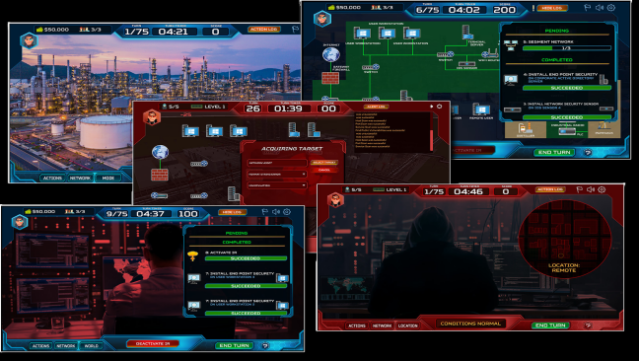
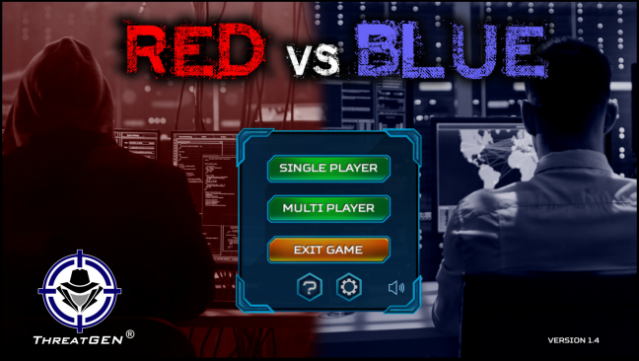
This game offers a unique blend of education and competition, immersing players in the world of cybersecurity strategies. It's an educational simulator where you can take on the roles of either the red team (attackers) or the blue team (defenders), engaging in single-player modes or challenging others online. The gameplay revolves around understanding and applying real-world cybersecurity concepts, requiring strategic thinking and skill development.
What sets this experience apart is its grounding in actual cybersecurity practices, providing a practical learning environment. Players can benefit from in-game advice, a comprehensive guide, and even a built-in "Wiki" to enhance their understanding of gameplay and cybersecurity terms. With options for local and online multiplayer, this game is perfect for anyone eager to deepen their cybersecurity knowledge while having a bit of fun. If you’re interested in hacking or defending digital landscapes, this game is definitely worth your time.
Instructions
- Click the Download button below and you will be redirected to UploadHaven.
- Wait 5 seconds and click on the blue ‘download now’ button. We recommend using a download manager for faster download speeds. (You can use FDM which is free here, or any other download manager).
- Once the game is finished downloading, right click the .zip file and click on “Extract to ThreatGEN: Red vs. Blue v1.10.4.zip” (To do this you will need 7-Zip, which you can get here, or you can use the built in windows extractor).
- Double click inside the ThreatGEN: Red vs. Blue v1.10.4 folder and run the setup application. Accept the EULA, and install the game. Then, launch the game through the desktop shortcut.
ThreatGEN: Red vs. Blue Free Download (v1.10.4)
ThreatGEN: Red vs. Blue (v1.10.4)
Size: 132.61 MB
Reminder: This download is completely free and won't cost you a penny. However, If you love the game and want to purchase it, you can support the developers by doing so here.
System Requirements
- Requires a 64-bit processor and operating system
- OS *: Windows 7 or better (64 bit)
- Processor: Intel Core i3 64-bit 1.5 GHz CPU or better
- Memory: 4 GB RAM
- Graphics: Standard onboard graphics
- Storage: 1 GB available space
- Sound Card: Standard onboard sound
Screenshots