About The Grinch: Christmas Adventures
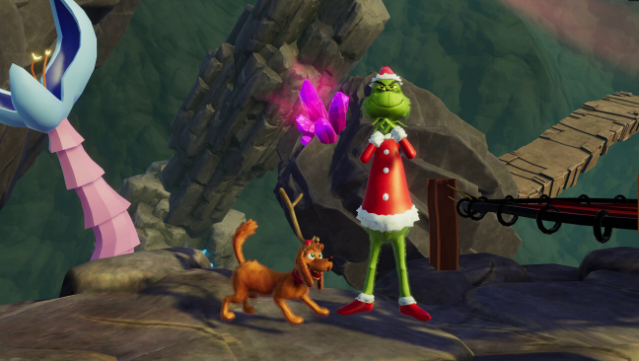
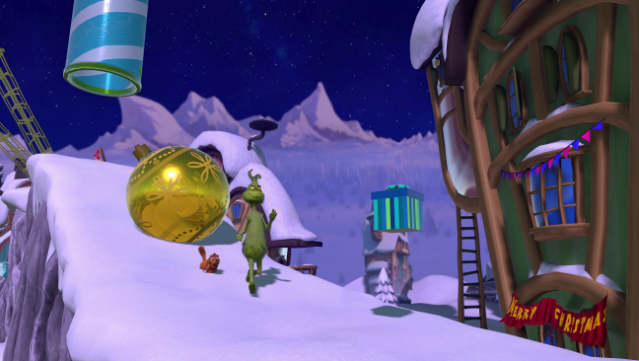
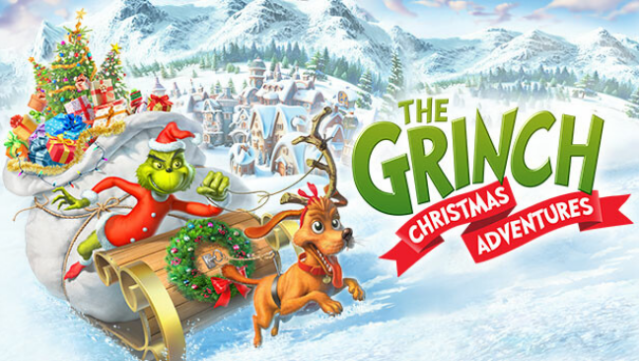
Immerse yourself in a whimsical holiday heist with a mischievous twist as you step into the shoes of the Grinch and his trusty dog, Max. This festive platformer invites players to traverse the enchanting world of Who-ville, where the goal is to sneak and swipe Christmas presents while cleverly evading the cheerful Whos and their caroling antics.
You'll engage in a core gameplay loop that blends sneaking, puzzle-solving, and action—utilizing quirky tools like a Candy Cane Lasso, a Santa disguise for stealth, and even a Jumping Jetpack to navigate tricky terrains. The vibrant visuals draw inspiration from Dr. Seuss’s beloved illustrations, creating a playful atmosphere for players of all ages. With local multiplayer support for up to two players, this game is perfect for families looking to enjoy some festive fun together.
If you have a soft spot for lighthearted adventures and holiday mischief, this game is definitely worth your time.
Instructions
- Click the Download button below and you will be redirected to UploadHaven.
- Wait 5 seconds and click on the blue ‘download now’ button. We recommend using a download manager for faster download speeds. (You can use FDM which is free here, or any other download manager).
- Once the game is finished downloading, right click the .zip file and click on “Extract to The Grinch: Christmas Adventures v1.0.10.zip” (To do this you will need 7-Zip, which you can get here, or you can use the built in windows extractor).
- Double click inside the The Grinch: Christmas Adventures v1.0.10 folder and run the setup application. Accept the EULA, and install the game. Then, launch the game through the desktop shortcut.
The Grinch: Christmas Adventures Free Download (v1.0.10)
The Grinch: Christmas Adventures (v1.0.10)
Size: 1.74 GB
Reminder: This download is completely free and won't cost you a penny. However, If you love the game and want to purchase it, you can support the developers by doing so here.
System Requirements
- OS: Windows 10 64-Bit
- Processor: AMD Ryzen 3 1200 /Intel Core i3-7100
- Memory: 8 GB RAM
- Graphics: AMD Radeon RX 550 4GB / Nvidia GTX 750
- DirectX: Version 11
- Storage: 8 GB available space
- Sound Card: DirectX Compatible Sound Card
Screenshots