About WAR Card Game_uvr
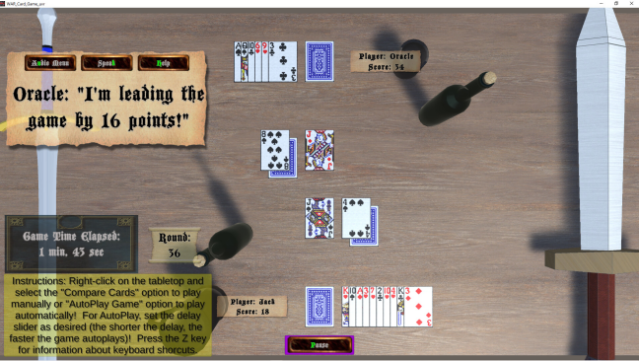
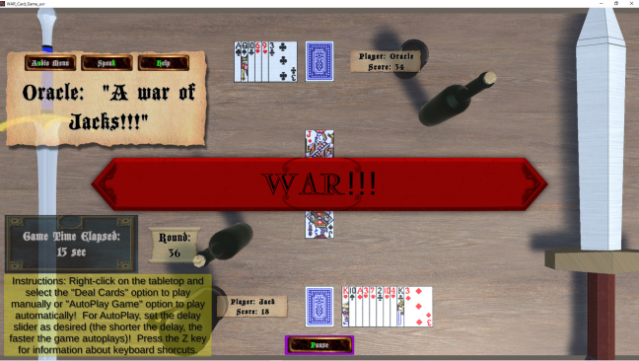
Step into a medieval tavern for a unique twist on the classic card game of WAR, where you challenge the mystical Oracle to a battle of wits and luck. This digital adaptation immerses you in a fantasy setting, letting you assume the role of a weary adventurer relaxing at Ye Olde Inn. The gameplay revolves around straightforward card play, where strategy and chance collide, and you’ll quickly find yourself engrossed in the duel against the Oracle.
Standout features include an auto-play option that allows the game to run itself, tracking points and rounds while keeping you updated on the score through voice and text. You can also pause the action at any time, save your progress for later, and even choose the gender of the Oracle's voice. For those who love casual card games with a whimsical theme, this is a delightful choice to unwind with. Perfect for fans of old-school card games and fantasy adventures alike!

Instructions
- Click the Download button below and you will be redirected to UploadHaven.
- Wait 5 seconds and click on the blue ‘download now’ button. We recommend using a download manager for faster download speeds. (You can use FDM which is free here, or any other download manager).
- Once the game is finished downloading, right click the .zip file and click on “Extract to WAR Card Game_uvr.zip” (To do this you will need 7-Zip, which you can get here, or you can use the built in windows extractor).
- Double click inside the WAR Card Game_uvr folder and run the setup application. Accept the EULA, and install the game. Then, launch the game through the desktop shortcut.
WAR Card Game_uvr Free Download
WAR Card Game_uvr
Size: 156.40 MB
Reminder: This download is completely free and won't cost you a penny. However, If you love the game and want to purchase it, you can support the developers by doing so here.
System Requirements
- OS: Windows 10 or higher
- Processor: Intel(R) Core(TM) i7-3630QM CPU @ 2.40GHz or better
- Memory: 8 GB RAM
- Graphics: AMD Radeon™ HD 7670M Graphics 1GB DDR3 or better
- DirectX: Version 11
- Storage: 300 MB available space
Screenshots