About The Warriorlock
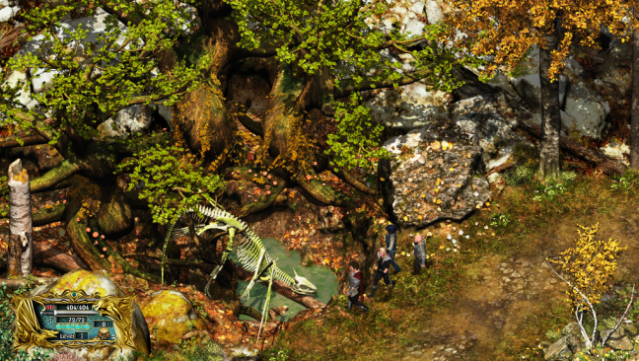
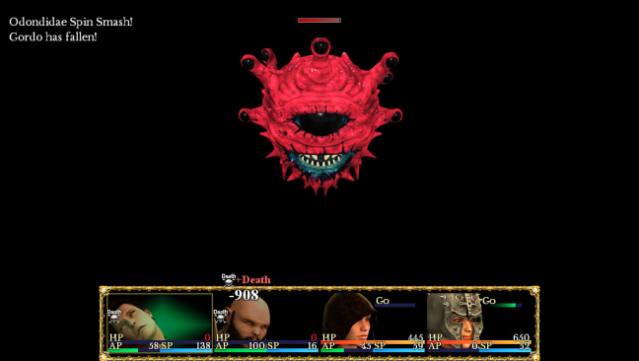
Immerse yourself in a whimsical yet challenging RPG where a young explorer battles through a surreal dreamscape, manipulated by a mind-bending alien creature. In this game, you engage in strategic turn-based combat, managing a team of four customizable characters as you explore a labyrinth filled with dark entities and monstrous foes. The animated battle system stands out with its unique enemy bribery mechanic and a stat-driven turn order, allowing for dynamic and tactical gameplay. You'll encounter randomized loot and spell drops, ensuring that every playthrough is distinct, while rare enchanted items offer powerful enhancements to your party. With a rich soundtrack setting the tone, this game is perfect for fans of quirky RPGs who enjoy a mix of humor and strategy.
Instructions
- Click the Download button below and you will be redirected to UploadHaven.
- Wait 5 seconds and click on the blue ‘download now’ button. We recommend using a download manager for faster download speeds. (You can use FDM which is free here, or any other download manager).
- Once the game is finished downloading, right click the .zip file and click on “Extract to The Warriorlock v2019.11.16.zip” (To do this you will need 7-Zip, which you can get here, or you can use the built in windows extractor).
- Double click inside the The Warriorlock v2019.11.16 folder and run the setup application. Accept the EULA, and install the game. Then, launch the game through the desktop shortcut.
The Warriorlock Free Download (v2019.11.16)
The Warriorlock (v2019.11.16)
Size: 887.89 MB
Reminder: This download is completely free and won't cost you a penny. However, If you love the game and want to purchase it, you can support the developers by doing so here.
System Requirements
- OS: Microsoft® Windows® XP / Vista / 7 (32/64-bit)
- Processor: Intel® Pentium® 4 2.0 GHz or faster
- Memory: 512 MB RAM
- Graphics: 1024 x 768 pixels or higher desktop resolution
- Storage: 1 GB available space
- Additional Notes: *Steam Overlay not supported. If you would like to share images from within The Warriorlock™, please use your computer’s screen capture or snipping feature to obtain images for upload.
Screenshots