About FPV LOGIC
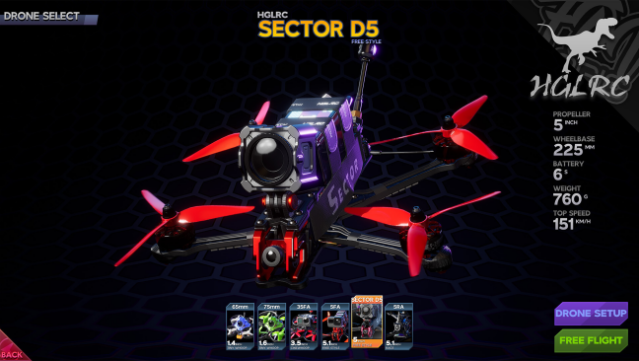
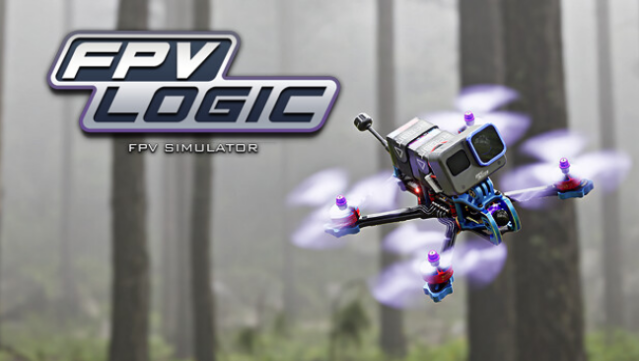
Dive into a realistic FPV drone experience that captures the thrill of flying with a level of detail that tech enthusiasts crave. This drone simulator combines cutting-edge physics to replicate authentic flight conditions, allowing players to pilot a variety of drones from different brands, each with unique handling and performance characteristics. With the ability to switch perspectives at any time, you can enjoy the view from multiple angles while honing your skills.
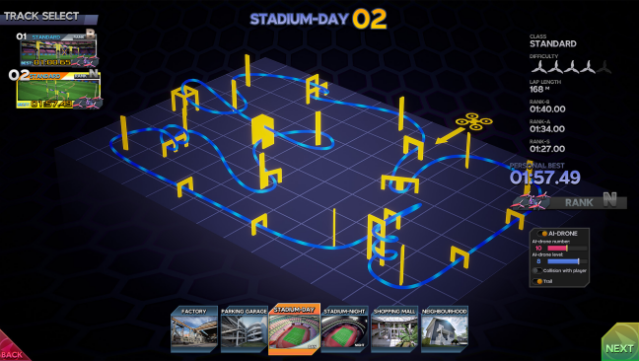
Whether you prefer freestyle maneuvers, intense racing against AI competitors, or simply cruising with a micro drone, there's something tailored for every kind of pilot. The meticulously crafted maps and adjustable parameters make it accessible for newcomers while still offering intricate settings for seasoned flyers. Ideal for those who love aerial challenges, this game is perfect for both budding drone enthusiasts and experienced pilots alike.
Instructions
- Click the Download button below and you will be redirected to UploadHaven.
- Wait 5 seconds and click on the blue ‘download now’ button. We recommend using a download manager for faster download speeds. (You can use FDM which is free here, or any other download manager).
- Once the game is finished downloading, right click the .zip file and click on “Extract to FPV LOGIC v0.6.zip” (To do this you will need 7-Zip, which you can get here, or you can use the built in windows extractor).
- Double click inside the FPV LOGIC v0.6 folder and run the setup application. Accept the EULA, and install the game. Then, launch the game through the desktop shortcut.
FPV LOGIC Free Download (v0.6)
FPV LOGIC (v0.6)
Size: 7.74 GB
Reminder: This download is completely free and won't cost you a penny. However, If you love the game and want to purchase it, you can support the developers by doing so here.
System Requirements
- Requires a 64-bit processor and operating system
- OS: Win10
- Processor: Intel 8th gen / AMD Ryzen 1st gen – 2.4GHz
- Memory: 8 GB RAM
- Graphics: Geforce GTX 960 / AMD Radeon HD 7750 – 2GB VRAM or more.
- DirectX: Version 12
- Storage: 8 GB available space
- Additional Notes: Only playable with a RC transmitter or joystick
Screenshots