About The Lord of the Rings: Gollum
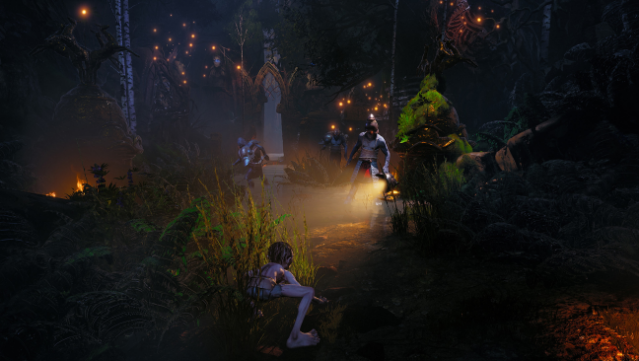
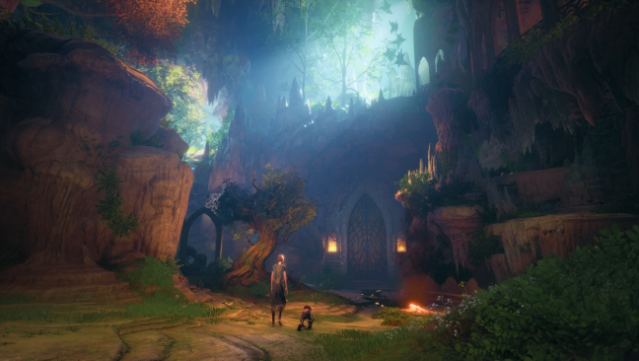
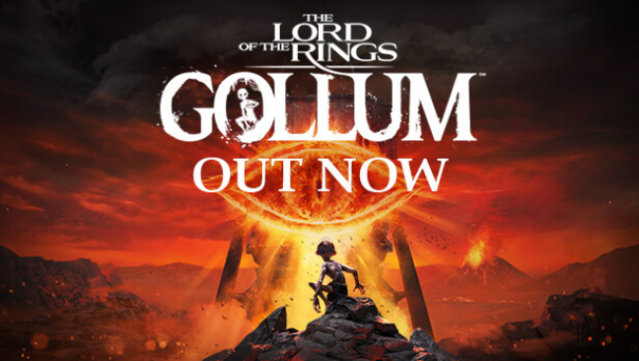
Dive into the shadows of Middle-earth with a unique perspective in this action-adventure game, where you step into the twisted mind of Gollum. Set against the backdrop of iconic events from The Fellowship of the Ring, you embark on a perilous quest to reclaim his beloved Precious. As Gollum, you navigate treacherous landscapes and outsmart formidable foes using your agility and cunning, all while exploring richly detailed environments like the Dark Tower of Barad-dûr and the enigmatic Mirkwood.
This game emphasizes stealth over combat, allowing you to sneak past Orcs or take them by surprise when the moment is right. With its faithful adaptation of Tolkien's lore, players can uncover the untold story of Gollum and experience his harrowing journey like never before. This title is perfect for fans of immersive storytelling and those who enjoy character-driven adventures in fantastical settings.
Instructions
- Click the Download button below and you will be redirected to UploadHaven.
- Wait 5 seconds and click on the blue ‘download now’ button. We recommend using a download manager for faster download speeds. (You can use FDM which is free here, or any other download manager).
- Once the game is finished downloading, right click the .zip file and click on “Extract to The Lord of the Rings: Gollum v0.2.51064.zip” (To do this you will need 7-Zip, which you can get here, or you can use the built in windows extractor).
- Double click inside the The Lord of the Rings: Gollum v0.2.51064 folder and run the setup application. Accept the EULA, and install the game. Then, launch the game through the desktop shortcut.
The Lord of the Rings: Gollum Free Download (v0.2.51064)
The Lord of the Rings: Gollum (v0.2.51064)
Size: 43.74 GB
Reminder: This download is completely free and won't cost you a penny. However, If you love the game and want to purchase it, you can support the developers by doing so here.
System Requirements
- Requires a 64-bit processor and operating system
- OS: Windows 10/11
- Processor: Intel Core i5-4690 / AMD Ryzen 3 1300X
- Memory: 8 GB RAM
- Graphics: Nvidia GTX 1060, 6GB / AMD Radeon R9 290X, 4GB
- DirectX: Version 12
- Storage: 45 GB available space
- Additional Notes: at Low preset and 1080p, Ray Tracing off
Screenshots