About Gale Of Windoria
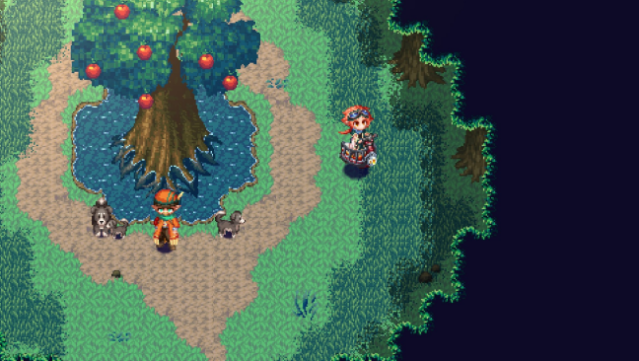
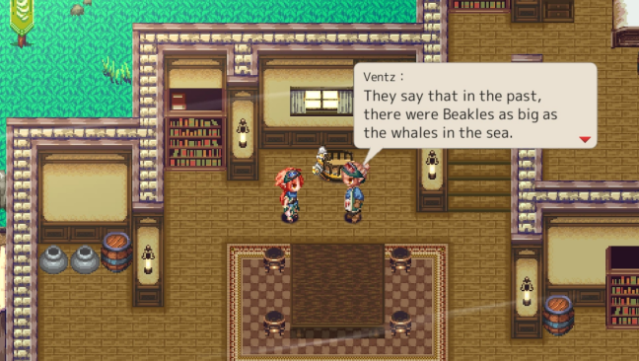
Embark on a captivating journey through a vibrant world where the very essence of life hangs in the balance. This action RPG invites players to step into the shoes of Shan, a young hero determined to rescue his friend and cleanse the corrupted Tetra Quartzes. Set against a backdrop of beautifully crafted pixel art, the game combines exploration and turn-based combat, allowing players to harness elemental powers both in battles and during dungeon puzzles. Upgrade your flying companion, the Beakle, to reach new areas and discover hidden secrets. With diverse allies and a focus on strategy, this adventure offers depth and charm that will keep you engaged. Perfect for fans of classic RPGs and anyone who loves a good tale of friendship and courage.

Instructions
- Click the Download button below and you will be redirected to UploadHaven.
- Wait 5 seconds and click on the blue ‘download now’ button. We recommend using a download manager for faster download speeds. (You can use FDM which is free here, or any other download manager).
- Once the game is finished downloading, right click the .zip file and click on “Extract to Gale Of Windoria.zip” (To do this you will need 7-Zip, which you can get here, or you can use the built in windows extractor).
- Double click inside the Gale Of Windoria folder and run the setup application. Accept the EULA, and install the game. Then, launch the game through the desktop shortcut.
Gale Of Windoria Free Download
Gale Of Windoria
Size: 227.59 MB
Reminder: This download is completely free and won't cost you a penny. However, If you love the game and want to purchase it, you can support the developers by doing so here.
System Requirements
- Requires a 64-bit processor and operating system
- OS: Windows 10 and up
- Processor: Intel® Core™ i5
- Memory: 8 GB RAM
- Graphics: 4GB VRAM
- Storage: 600 MB available space
- Additional Notes: This app features keyboard controls and partial controller support with the Xbox controller. Mouse/touch screen are not supported.
Screenshots