About QR Escape
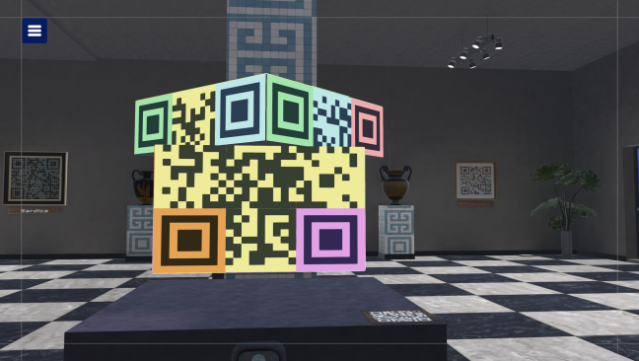
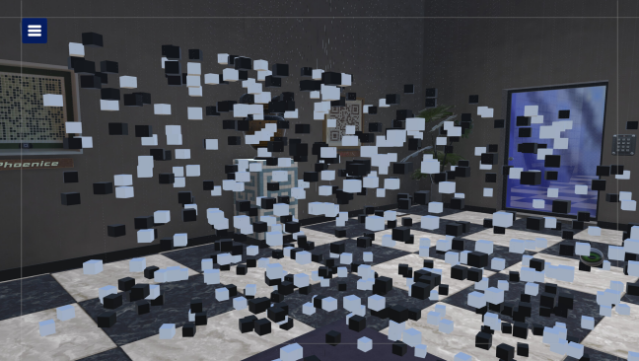
Dive into a unique escape room experience that cleverly blends digital interaction with real-world scanning. This puzzle-solving game invites players to navigate through challenging scenarios on their PC while using a QR code reader app on their mobile devices. As you tackle various puzzles, you unlock QR codes that generate a 6-digit password necessary to access locked areas within the game. Each playthrough offers a fresh challenge, as the codes change every time you play.
With a mix of required and optional QR codes, you'll find hints and delightful gallery pieces to explore. The game encourages creativity and testing your scanning skills, making it an engaging experience for anyone. If you're a fan of escape rooms or enjoy interactive puzzles, this game is definitely worth a try.

Instructions
- Click the Download button below and you will be redirected to UploadHaven.
- Wait 5 seconds and click on the blue ‘download now’ button. We recommend using a download manager for faster download speeds. (You can use FDM which is free here, or any other download manager).
- Once the game is finished downloading, right click the .zip file and click on “Extract to QR Escape v1.4.zip” (To do this you will need 7-Zip, which you can get here, or you can use the built in windows extractor).
- Double click inside the QR Escape v1.4 folder and run the setup application. Accept the EULA, and install the game. Then, launch the game through the desktop shortcut.
QR Escape Free Download (v1.4)
QR Escape (v1.4)
Size: 1.38 GB
Reminder: This download is completely free and won't cost you a penny. However, If you love the game and want to purchase it, you can support the developers by doing so here.
System Requirements
- Requires a 64-bit processor and operating system
- OS: Windows 10 64-bit
- Processor: Intel i5-6600k // AMD Ryzen 5 1600
- Memory: 4GB RAM MB RAM
- Graphics: NVIDIA GeForce GTX 970 (4GB) // AMD Radeon RX 480 (8GB)
- DirectX: Version 11
- Storage: 2 GB available space
Screenshots