About DANMAKAI: Red Forbidden Fruit
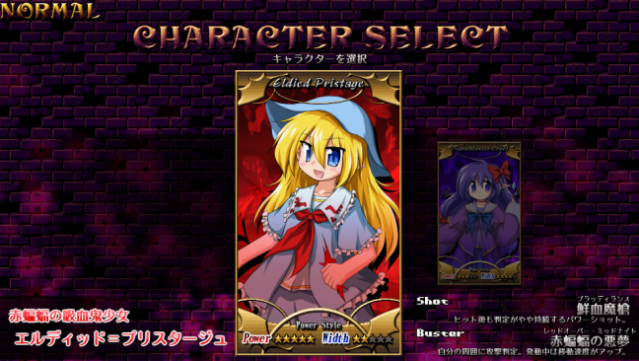
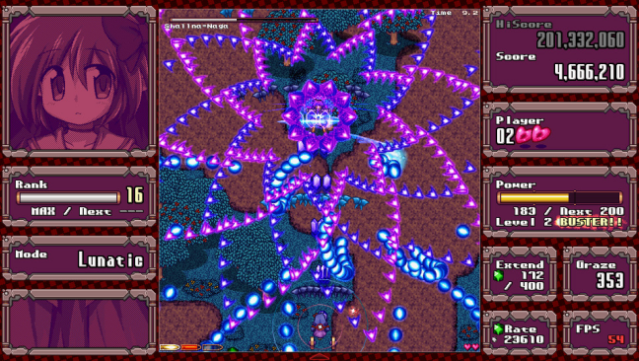
Dive into a vibrant world of chaotic bullet hell where quick reflexes and strategic play are key to survival. This Danmaku shooter places you in the shoes of two demon girls, Eldied and Diana, as they embark on a mission to vanquish a looming evil. Players navigate through intricate patterns of enemy fire while taking an aggressive approach to defeat foes and enhance their power. The game features seven stages filled with pixel art charm, multiple difficulty levels catering to both newbies and veterans, and a variety of characters to choose from. With bonus modes like a challenge for hardcore fans and a replay viewer, the experience offers depth and replayability. If you’re a fan of intense action and stylish graphics, this game is definitely worth checking out.

Instructions
- Click the Download button below and you will be redirected to UploadHaven.
- Wait 5 seconds and click on the blue ‘download now’ button. We recommend using a download manager for faster download speeds. (You can use FDM which is free here, or any other download manager).
- Once the game is finished downloading, right click the .zip file and click on “Extract to DANMAKAI: Red Forbidden Fruit v1.1.1.zip” (To do this you will need 7-Zip, which you can get here, or you can use the built in windows extractor).
- Double click inside the DANMAKAI: Red Forbidden Fruit v1.1.1 folder and run the setup application. Accept the EULA, and install the game. Then, launch the game through the desktop shortcut.
DANMAKAI: Red Forbidden Fruit Free Download (v1.1.1)
DANMAKAI: Red Forbidden Fruit (v1.1.1)
Size: 226.08 MB
Reminder: This download is completely free and won't cost you a penny. However, If you love the game and want to purchase it, you can support the developers by doing so here.
System Requirements
- OS: Windows7, Windows10
- Processor: intel core i3 530 or better(Single-core performance required)
- Memory: 2 GB RAM
- Graphics: DirectX-compliant graphics card
- DirectX: Version 9.0c
- Storage: 1 GB available space
Screenshots