About The Sims Medieval
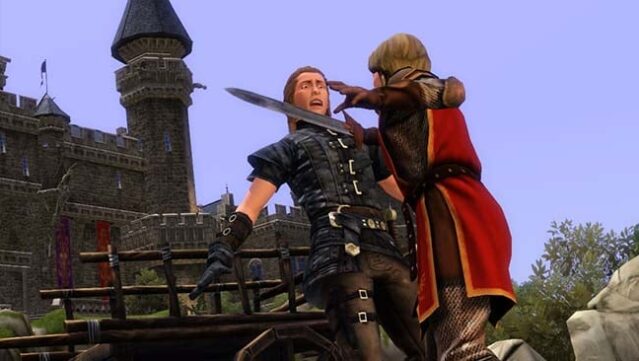
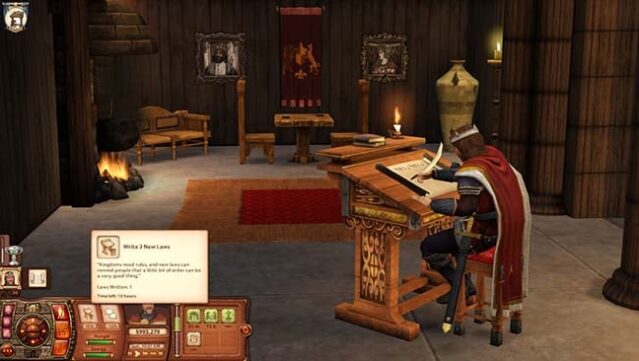
Step into a whimsical medieval world where you can shape the lives of your Sims in a vibrant setting filled with adventure and intrigue. This life simulation game invites you to manage a kingdom, complete quests, and develop relationships while navigating the drama of court life. You can choose among various occupations, from a gallant knight to a shrewd bard, each offering unique storylines and challenges. The enhanced graphics and animations breathe life into your characters, making each interaction feel more immersive. With a living world that thrives on player choices, this game is perfect for those who love crafting stories in dynamic environments. If you enjoy classic life sims with a historical twist, you’ll find a lot to love here.
Instructions
- Click the Download button below and you will be redirected to UploadHaven.
- Wait 5 seconds and click on the blue ‘download now’ button. We recommend using a download manager for faster download speeds. (You can use FDM which is free here, or any other download manager).
- Once the game is finished downloading, right click the .zip file and click on “Extract to The Sims Medieval.zip” (To do this you will need 7-Zip, which you can get here, or you can use the built in windows extractor).
- Double click inside the The Sims Medieval folder and run the setup application. Accept the EULA, and install the game. Then, launch the game through the desktop shortcut.
The Sims Medieval Free Download
The Sims Medieval
Size: 4.19 GB
Reminder: This download is completely free and won't cost you a penny. However, If you love the game and want to purchase it, you can support the developers by doing so here.
System Requirements
- OS: Windows Vista or greater
- Processor: 2.4 GHz P4 processor or equivalent
- Memory: 1.5 GB RAM
- Graphics: 256 MB Video Card with support for Pixel Shader 2.0
- DirectX: Version 9
- Storage: 5 GB available space
Screenshots