About Wooden Battles
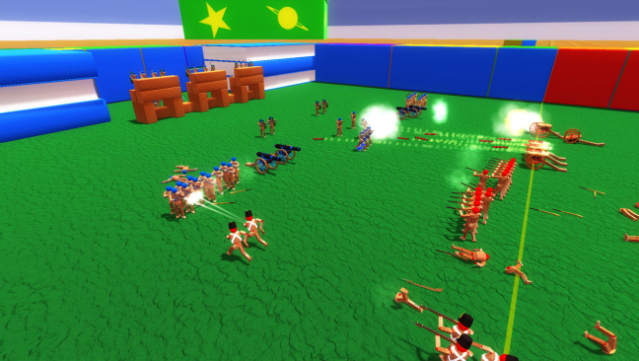
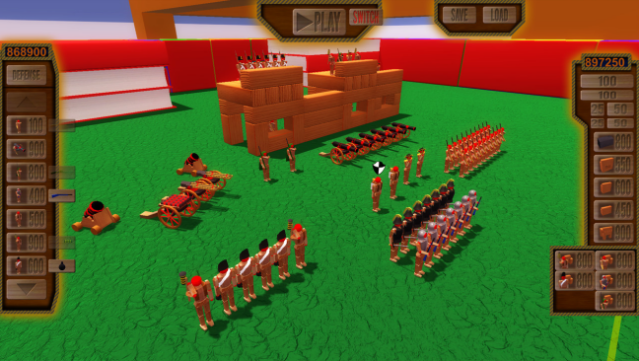
Step into a world where strategy meets creativity in this fort-building battle simulator. Players construct wooden forts, strategically placing units to either defend their territory or launch assaults against the enemy. The objective is clear: eliminate your opponent’s units or capture their flag. You can toggle each unit between offensive and defensive roles, with offensive units charging toward the enemy's flag and engaging as they go, while defensive units hold their ground. If things drag on and the offensive forces dwindle, a thrilling tiebreaker kicks in, forcing all defenses into action for an intense showdown. This game is perfect for fans of tactical warfare and strategic building mechanics who enjoy watching their plans unfold in chaotic battles.
Instructions
- Click the Download button below and you will be redirected to UploadHaven.
- Wait 5 seconds and click on the blue ‘download now’ button. We recommend using a download manager for faster download speeds. (You can use FDM which is free here, or any other download manager).
- Once the game is finished downloading, right click the .zip file and click on “Extract to Wooden Battles v2019.05.14.zip” (To do this you will need 7-Zip, which you can get here, or you can use the built in windows extractor).
- Double click inside the Wooden Battles v2019.05.14 folder and run the setup application. Accept the EULA, and install the game. Then, launch the game through the desktop shortcut.
Wooden Battles Free Download (v2019.05.14)
Wooden Battles (v2019.05.14)
Size: 172.29 MB
Reminder: This download is completely free and won't cost you a penny. However, If you love the game and want to purchase it, you can support the developers by doing so here.
System Requirements
- OS: Windows 7
- Processor: Quad Core 2.6 GHz
- Memory: 4 GB RAM
- Graphics: 1 GB of Video RAM
- Storage: 300 MB available space
Screenshots