About Aseprite
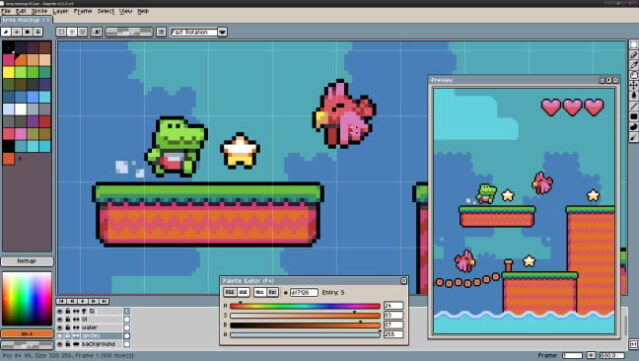
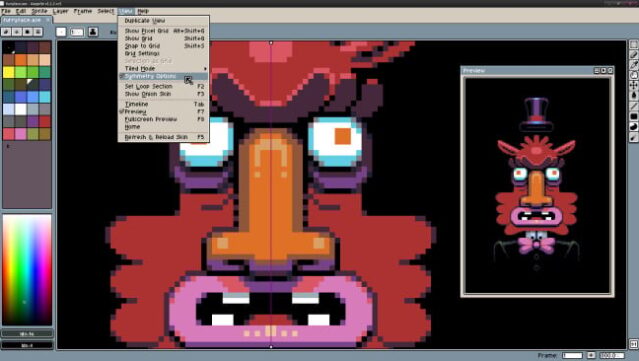
This powerful pixel art tool stands out for its user-friendly design and robust features, making it a favorite among game developers and artists alike. As a versatile software for creating 2D animations, it allows you to craft intricate sprites using layers and frames, giving you full control over your artwork. You can work in both RGBA and Indexed color modes, and easily save your creations as GIF animations or PNG sequences.
One of its standout features is the real-time animation preview combined with onion skinning, which enhances your animation workflow by providing better context. Additionally, tools for shading, pixel-perfect strokes, and tiled modes help achieve the precise look you want. The command line interface is a bonus for automating sprite sheet generation, making your workflow even more efficient.
Ideal for indie developers and pixel art enthusiasts, this software is perfect for those seeking to bring their 2D visions to life.
Instructions
- Click the Download button below and you will be redirected to UploadHaven.
- Wait 5 seconds and click on the blue ‘download now’ button. We recommend using a download manager for faster download speeds. (You can use FDM which is free here, or any other download manager).
- Once the game is finished downloading, right click the .zip file and click on “Extract to Aseprite v1.3.17.zip” (To do this you will need 7-Zip, which you can get here, or you can use the built in windows extractor).
- Double click inside the Aseprite v1.3.17 folder and run the setup application. Accept the EULA, and install the game. Then, launch the game through the desktop shortcut.
Aseprite Free Download (v1.3.17)
Aseprite (v1.3.17)
Size: 59.87 MB
Reminder: This download is completely free and won't cost you a penny. However, If you love the game and want to purchase it, you can support the developers by doing so here.
System Requirements
- OS: Windows Vista, 7, 8, or 10
- Memory: 128 MB RAM
- Storage: 40 MB available space
Screenshots