About Discord Bot Maker
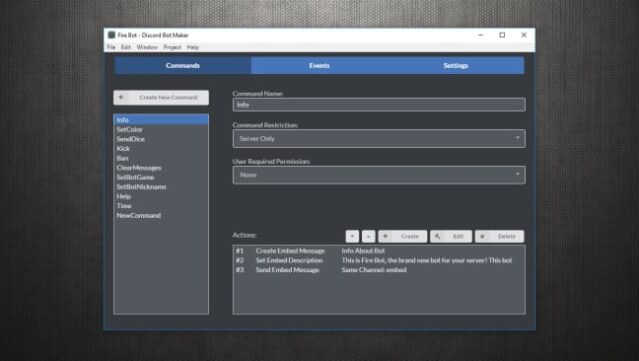
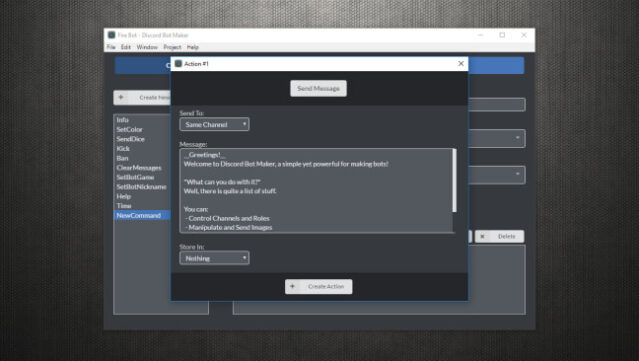
Unleash your creativity with a tool that empowers you to build custom bots for Discord, enhancing your gaming community's experience like never before. This versatile software caters to both seasoned developers and those new to programming, allowing users to craft bots in mere seconds. The gameplay revolves around a straightforward system of commands and events, where you can trigger specific actions by entering commands in the chat or respond to server events like member joins or channel creations.
Standout features include the ability to send messages, create roles, and even manipulate images and emojis. With a focus on user-friendliness and flexibility, Discord Bot Maker opens up endless possibilities for customization. Perfect for anyone looking to elevate their Discord server, whether you’re a developer wanting to automate functions or a newcomer eager to explore bot creation.
Instructions
- Click the Download button below and you will be redirected to UploadHaven.
- Wait 5 seconds and click on the blue ‘download now’ button. We recommend using a download manager for faster download speeds. (You can use FDM which is free here, or any other download manager).
- Once the game is finished downloading, right click the .zip file and click on “Extract to Discord Bot Maker v1.2.10.zip” (To do this you will need 7-Zip, which you can get here, or you can use the built in windows extractor).
- Double click inside the Discord Bot Maker v1.2.10 folder and run the setup application. Accept the EULA, and install the game. Then, launch the game through the desktop shortcut.
Discord Bot Maker Free Download (v1.2.10)
Discord Bot Maker (v1.2.10)
Size: 79.81 MB
Reminder: This download is completely free and won't cost you a penny. However, If you love the game and want to purchase it, you can support the developers by doing so here.
System Requirements
- OS: Windows 7, 8, or 10
- Processor: 2GHz+
- Memory: 2 GB RAM
- Graphics: 64MB
- Storage: 200 MB available space
Screenshots