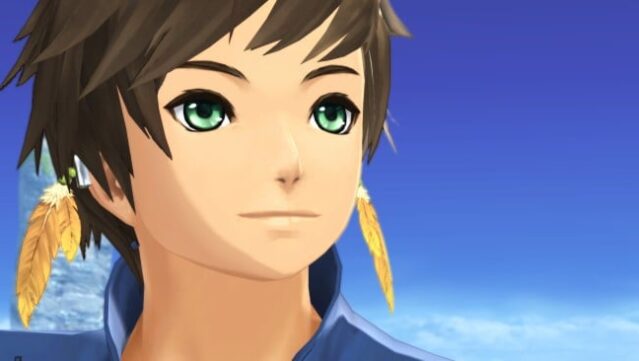
About Tales Of Zestiria
Step into a captivating medieval fantasy world where the fate of humanity and Seraphim hangs in the balance. As the Shepherd, you embark on a mission to combat the growing Malevolence and bridge the divide between humans and mystical beings. Team up with Lailah, the guardian of the Sacred Blade, and your trusty friend Mikleo as you navigate through vast, richly detailed environments that bring the story to life.
The game features a seamless battle system that eliminates load screens, allowing you to engage in thrilling combat directly within the lush landscapes. With beautiful animations crafted by the renowned ufotable studio, the visual experience is nothing short of stunning. This game is perfect for those who enjoy immersive RPGs with deep storytelling, strategic combat, and a vibrant world to explore.
Instructions
- Click the Download button below and you will be redirected to UploadHaven.
- Wait 5 seconds and click on the blue ‘download now’ button. We recommend using a download manager for faster download speeds. (You can use FDM which is free here, or any other download manager).
- Once the game is finished downloading, right click the .zip file and click on “Extract to Tales Of Zestiria.zip” (To do this you will need 7-Zip, which you can get here, or you can use the built in windows extractor).
- Double click inside the Tales Of Zestiria folder and run the setup application. Accept the EULA, and install the game. Then, launch the game through the desktop shortcut.
Tales Of Zestiria Free Download
Tales Of Zestiria
Size: 11.14 GB
Reminder: This download is completely free and won't cost you a penny. However, If you love the game and want to purchase it, you can support the developers by doing so here.
System Requirements
- OS: Windows Vista, 7, 8, 10
- Processor: Intel Core 2 Duo 2.4Ghz / AMD Athlon 64 X2 5200+, 2.6GHz
- Memory: 2 GB RAM
- Graphics: Nvidia GeForce 8800GT / ATI Radeon HD 4830 or equivalent
- DirectX: Version 9.0c
- Storage: 12 GB available space
- Additional Notes: Gamepad support
Screenshots