About Bouncing Duck Simulator
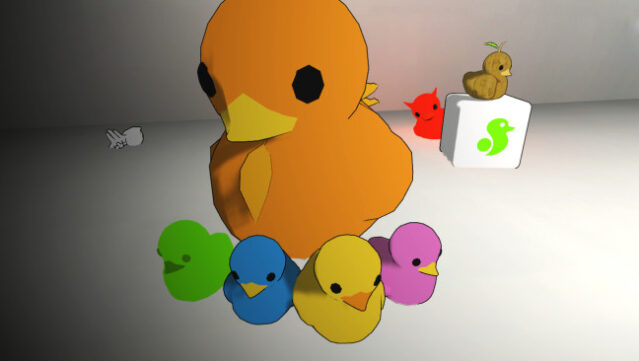
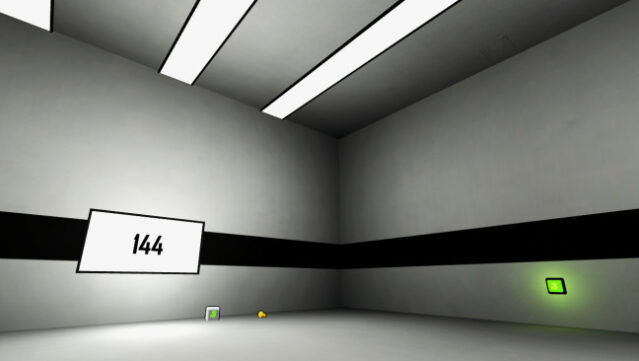
Experience the whimsical joy of launching rubber ducks in a delightfully chaotic setting that invites creativity and fun. This unique simulation game immerses you in a six-walled room where the bouncing action is as unpredictable as it is entertaining. Players explore a variety of collectible ducks, striving to complete the Duckedex while uncovering hidden techniques and achieving one of three different endings, ensuring each playthrough feels fresh and engaging. With a range of quirky duck sounds that add to the charm, you'll find yourself bouncing your way to the coveted title of Master Bouncer. Ideal for those who enjoy quirky simulations and playful challenges, this game is a must-try for anyone looking for a lighthearted gaming experience.
Instructions
- Click the Download button below and you will be redirected to UploadHaven.
- Wait 5 seconds and click on the blue ‘download now’ button. We recommend using a download manager for faster download speeds. (You can use FDM which is free here, or any other download manager).
- Once the game is finished downloading, right click the .zip file and click on “Extract to Bouncing Duck Simulator.zip” (To do this you will need 7-Zip, which you can get here, or you can use the built in windows extractor).
- Double click inside the Bouncing Duck Simulator folder and run the setup application. Accept the EULA, and install the game. Then, launch the game through the desktop shortcut.
Bouncing Duck Simulator Free Download
Bouncing Duck Simulator
Size: 32.78 MB
Reminder: This download is completely free and won't cost you a penny. However, If you love the game and want to purchase it, you can support the developers by doing so here.
System Requirements
- OS: Windows XP / Vista / 7 / 8 / 10
- Processor: 2.0 GHz
- Memory: 2 GB RAM
- Storage: 150 MB available space
Screenshots