About Sword Art Online: Lost Song
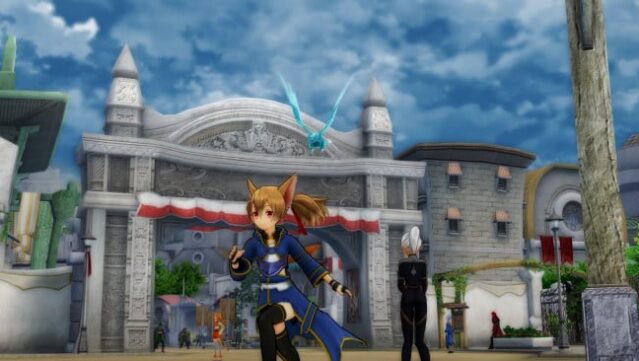
Dive into a vibrant VRMMO world inspired by the beloved anime, where you step into the shoes of Kirito and explore the enchanting realm of Alfheim Online. This action-packed RPG allows you to experience thrilling aerial and ground battles as you traverse the stunning floating lands of Svart Alfheim. The gameplay centers around fast-paced combat, giving you the freedom to execute dynamic skills and choose your character's progression path. With familiar faces from the anime and new characters like Seven, Rain, and Sumeragi, the game offers an engaging narrative that expands on the original story. If you're a fan of action RPGs or the Sword Art Online series, this game is definitely worth your time.

Instructions
- Click the Download button below and you will be redirected to UploadHaven.
- Wait 5 seconds and click on the blue ‘download now’ button. We recommend using a download manager for faster download speeds. (You can use FDM which is free here, or any other download manager).
- Once the game is finished downloading, right click the .zip file and click on “Extract to Sword Art Online: Lost Song.zip” (To do this you will need 7-Zip, which you can get here, or you can use the built in windows extractor).
- Double click inside the Sword Art Online: Lost Song folder and run the setup application. Accept the EULA, and install the game. Then, launch the game through the desktop shortcut.
Sword Art Online: Lost Song Free Download
Sword Art Online: Lost Song
Size: 5.59 GB
Reminder: This download is completely free and won't cost you a penny. However, If you love the game and want to purchase it, you can support the developers by doing so here.
System Requirements
- Requires a 64-bit processor and operating system
- OS: Windows 7, 8.1, 10 (64-bit)
- Processor: Intel Core i3-2100 / AMD A8-5600K
- Memory: 4 GB RAM
- Graphics: GeForce GTX 650 / Radeon HD 7770
- DirectX: Version 11
- Storage: 7 GB available space
- Sound Card: DirectX compatible soundcard or onboard chipset
Screenshots