About Oddworld: Soulstorm Enhanced Edition
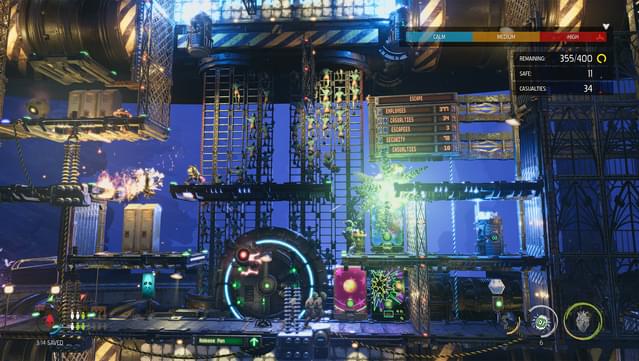
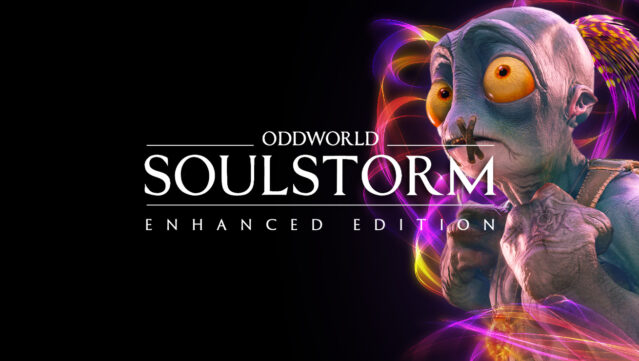
In this gripping adventure, players step into the shoes of Abe, a unique hero fighting against oppression following the liberation of his fellow slaves. Combining platforming with puzzle-solving elements, the game immerses you in an industrial dystopia where freedom is just the beginning of the struggle. You explore diverse environments like dusty canyons and abandoned mines, scavenging for resources to craft tools and weapons to aid your followers. The gameplay offers a choice between direct confrontation and stealth tactics, allowing for strategic approaches as you navigate the narrative with multiple endings. This title is ideal for gamers who enjoy rich storytelling and challenging gameplay, especially fans of the Oddworld series.
Instructions
- Click the Download button below and you will be redirected to UploadHaven.
- Wait 5 seconds and click on the blue ‘download now’ button. We recommend using a download manager for faster download speeds. (You can use FDM which is free here, or any other download manager).
- Once the game is finished downloading, right click the .zip file and click on “Extract to Oddworld: Soulstorm Enhanced Edition v1.0.zip” (To do this you will need 7-Zip, which you can get here, or you can use the built in windows extractor).
- Double click inside the Oddworld: Soulstorm Enhanced Edition v1.0 folder and run the setup application. Accept the EULA, and install the game. Then, launch the game through the desktop shortcut.
Oddworld: Soulstorm Enhanced Edition Free Download (v1.0)
Oddworld: Soulstorm Enhanced Edition (v1.0)
Size: 12.40 GB
Reminder: This download is completely free and won't cost you a penny. However, If you love the game and want to purchase it, you can support the developers by doing so here.
System Requirements
- Windows 10
- Intel Core i5 4460 or equivalent
- nVidia GeForce GTX 970 or equivalent
- Version 11
- Requires a 64-bit processor and operating system. While development is ongoing, all above specs are subject to change.
Screenshots