About Aquarist
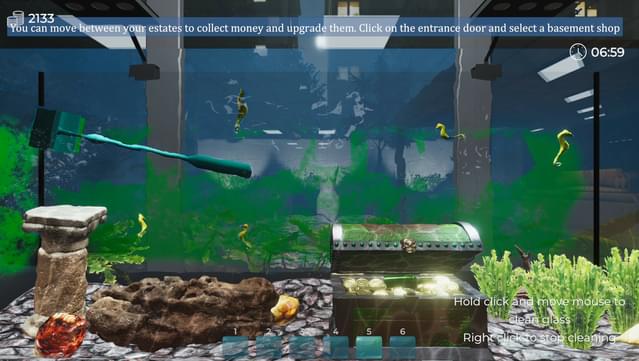
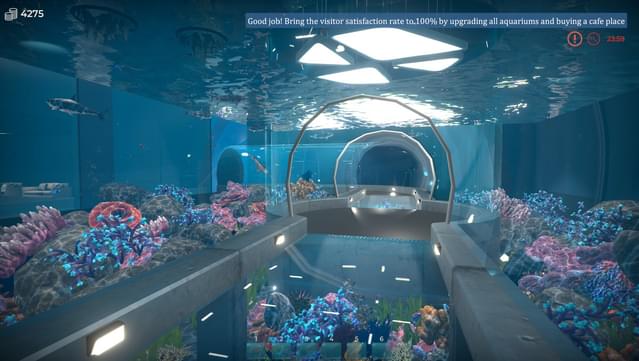
Immerse yourself in the rewarding challenge of running your own aquarium shop, where creativity meets business savvy. This simulation game places you in a bustling aquatic world, where you juggle client requests and manage your shop to satisfy demanding customers. As you progress, you can invest in a diverse array of fish, exotic plants, and enhancements for your store while honing your skills.
A standout feature is the eco-friendly approach, allowing you to refurbish and recycle components, which not only saves resources but also promotes sustainability. The game encourages you to unleash your creativity, offering a wide selection of decorative items to design stunning aquariums, whether you prefer a lush underwater paradise or a more artistic, themed setup.
Perfect for fans of simulation and management games, this title appeals to anyone who enjoys crafting unique environments while navigating the complexities of running a business.
Instructions
- Click the Download button below and you will be redirected to UploadHaven.
- Wait 5 seconds and click on the blue ‘download now’ button. We recommend using a download manager for faster download speeds. (You can use FDM which is free here, or any other download manager).
- Once the game is finished downloading, right click the .zip file and click on “Extract to Aquarist v1.0.zip” (To do this you will need 7-Zip, which you can get here, or you can use the built in windows extractor).
- Double click inside the Aquarist v1.0 folder and run the setup application. Accept the EULA, and install the game. Then, launch the game through the desktop shortcut.
Aquarist Free Download (v1.0)
Reminder: This download is completely free and won't cost you a penny. However, If you love the game and want to purchase it, you can support the developers by doing so here.
System Requirements
- Windows 7
- Intel Core i5
- 4 GB RAM
- NVidia GeForce GTX 750
- 6 GB available space
- DirectX compatible
Screenshots