About The Gardener
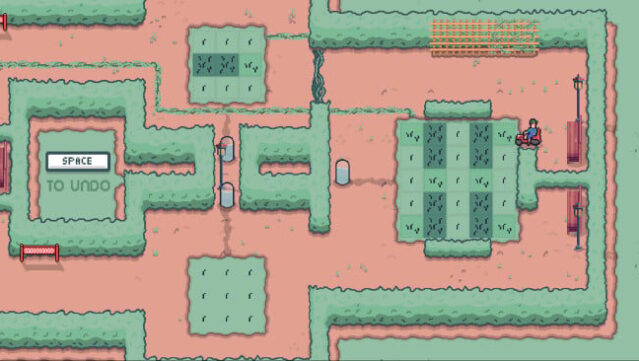
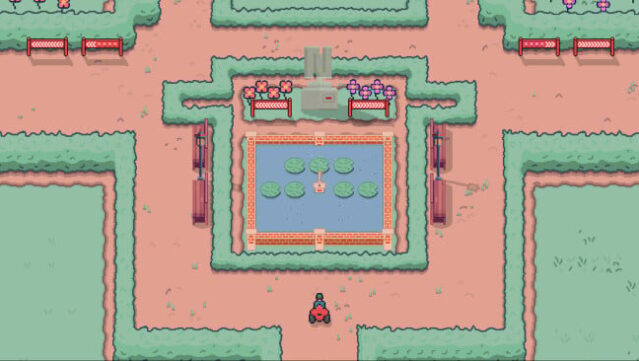
This game transforms a simple gardening task into a captivating puzzle adventure filled with intrigue and mystery. You step into the shoes of Hectare, a gardener called to the enigmatic Ned Gardens to investigate the disappearance of Lord Ned. The estate features eight distinct regions, each presenting unique challenges and clues that lead you deeper into the mystery.
Gameplay unfolds on compact grids where you trim grass tiles, but it's not just about clearing lawn space; each area requires careful route planning and strategic maneuvering to meet specific length requirements. As you progress, exotic flowers introduce new gameplay mechanics, allowing you to uncover patterns and learn through experimentation. With a focus on thoughtful problem-solving, this game caters to fans of intricate puzzles and those who enjoy piecing together visual languages. It's ideal for players who appreciate a challenge and are willing to embrace a cerebral experience.

Instructions
- Click the Download button below and you will be redirected to UploadHaven.
- Wait 5 seconds and click on the blue ‘download now’ button. We recommend using a download manager for faster download speeds. (You can use FDM which is free here, or any other download manager).
- Once the game is finished downloading, right click the .zip file and click on “Extract to The Gardener.zip” (To do this you will need 7-Zip, which you can get here, or you can use the built in windows extractor).
- Double click inside the The Gardener folder and run the setup application. Accept the EULA, and install the game. Then, launch the game through the desktop shortcut.
The Gardener Free Download
Reminder: This download is completely free and won't cost you a penny. However, If you love the game and want to purchase it, you can support the developers by doing so here.
System Requirements
- OS *: Windows 7
- Processor: 2.0 GHz+, 32-bit
- Memory: 1 GB RAM
- Graphics: ATI Radeon X1300/NVIDIA GeForce 6600 GT/Intel HD 3000 or better
- Storage: 200 MB available space
Screenshots