About Game Compressor
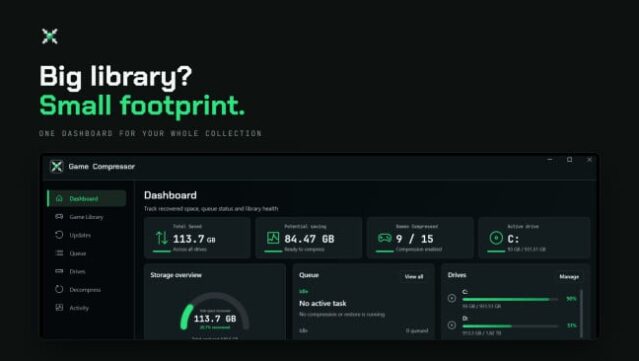
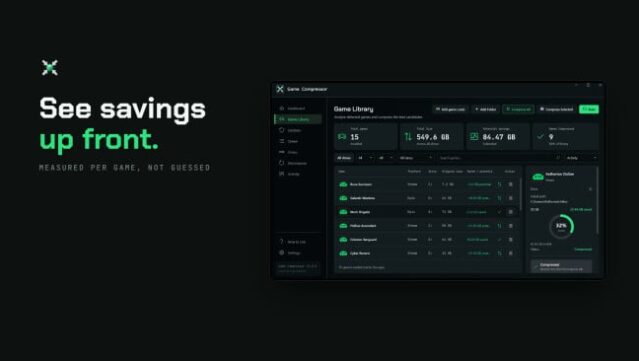
Managing disk space can be a real challenge when your library is packed with expansive modern games, but this utility offers a smart solution to that problem without requiring any uninstalls. This Windows storage management tool uses NTFS-level LZX compression to shrink the size of installed games, allowing you to keep everything in its usual place while freeing up valuable storage. The process begins with a scan of your library, where the software identifies the sizes and compression potential of your games, helping you decide which ones to compress based on potential space savings.
One standout feature is its ability to flag titles that may need re-compression after updates, ensuring your library stays optimized. Unlike traditional archiving tools, this app keeps your games readily accessible without the hassle of unzipping files before play. Whether you're using an SSD or a handheld device, this tool is perfect for gamers looking to maximize their storage while keeping their game library intact. If you're tired of juggling which games to uninstall, this is definitely worth checking out.
Instructions
- Click the Download button below and you will be redirected to UploadHaven.
- Wait 5 seconds and click on the blue ‘download now’ button. We recommend using a download manager for faster download speeds. (You can use FDM which is free here, or any other download manager).
- Once the game is finished downloading, right click the .zip file and click on “Extract to Game Compressor.zip” (To do this you will need 7-Zip, which you can get here, or you can use the built in windows extractor).
- Double click inside the Game Compressor folder and run the setup application. Accept the EULA, and install the game. Then, launch the game through the desktop shortcut.
Game Compressor Free Download
Game Compressor
Size: 136.79 MB
Reminder: This download is completely free and won't cost you a penny. However, If you love the game and want to purchase it, you can support the developers by doing so here.
System Requirements
- Requires a 64-bit processor and operating system
- OS: Windows 10 (64-bit)
- Processor: Intel Core i3 or AMD equivalent
- Memory: 4 GB RAM
- Graphics: DirectX 11 compatible graphics card
- Storage: 500 MB available space
Screenshots