About Piano Glow
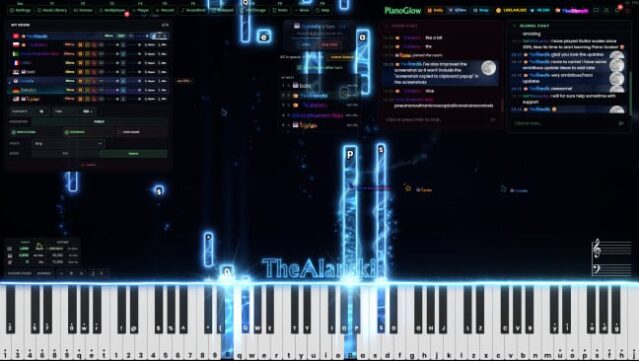
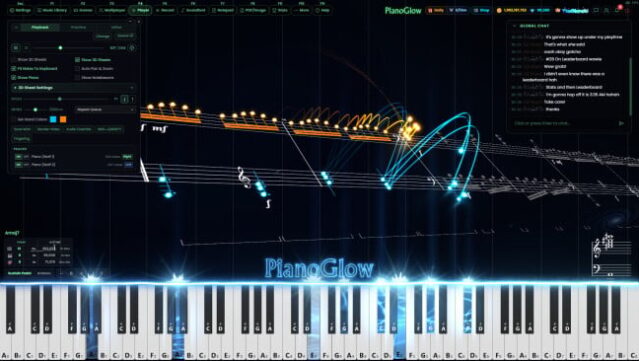
This vibrant music learning tool transforms the way you engage with the piano, offering a unique blend of practice, performance, and social interaction all in one platform. Catering to players of all levels, it allows you to practice on anything from a full digital piano to just a standard PC keyboard. The gameplay focuses on following falling notes while providing an array of learning tools like sheet music, ear training, and customizable exercises.
Standout features include an adaptable interface for various hardware, a rich library of MIDI and MusicXML support, and engaging multiplayer modes that add a social twist to piano practice. The colorful visuals and responsive backgrounds create an encouraging atmosphere, making it perfect for both beginners and seasoned musicians looking for a personalized experience. If you enjoy music games with an emphasis on community and customization, you'll find a lot to love here.

Instructions
- Click the Download button below and you will be redirected to UploadHaven.
- Wait 5 seconds and click on the blue ‘download now’ button. We recommend using a download manager for faster download speeds. (You can use FDM which is free here, or any other download manager).
- Once the game is finished downloading, right click the .zip file and click on “Extract to Piano Glow.zip” (To do this you will need 7-Zip, which you can get here, or you can use the built in windows extractor).
- Double click inside the Piano Glow folder and run the setup application. Accept the EULA, and install the game. Then, launch the game through the desktop shortcut.
Piano Glow Free Download
Reminder: This download is completely free and won't cost you a penny. However, If you love the game and want to purchase it, you can support the developers by doing so here.
System Requirements
- OS *: Windows 7 (SP1+) and Windows 10
- Processor: 1.7 GHz Dual Core CPU
- Memory: 2000 MB RAM
- Graphics: DX10, DX11, DX12 capable
- Storage: 800 MB available space
- Sound Card: Any
Screenshots