About Drunken Rogue
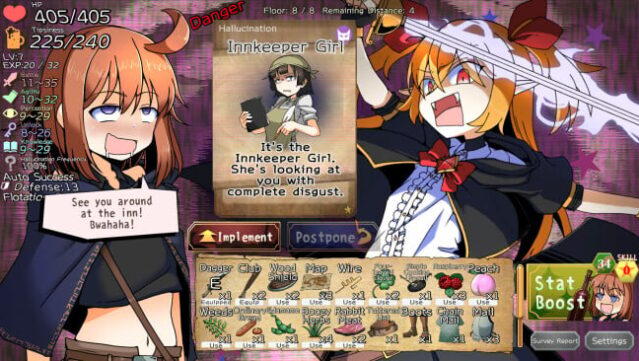
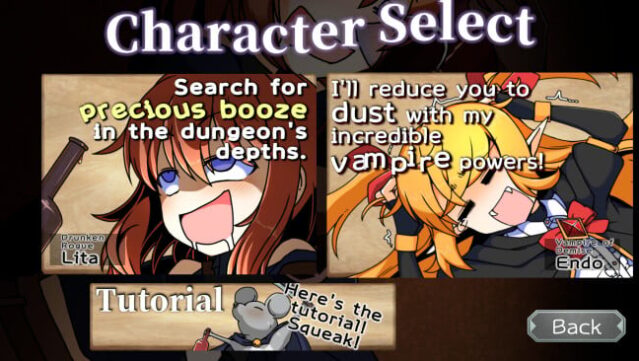
Dive into a whimsical roguelike where the quest for a legendary wine cellar leads to chaotic adventures and unpredictable gameplay. Players navigate the treacherous fortress of a vampire ruler, facing off against demons, traps, and increasingly challenging dungeon levels. The core gameplay revolves around deck-building and strategic movement, where Lita, the irreverent rogue, must decide whether to engage with threats or evade them, knowing that any neglected enemies will return stronger.
What sets this game apart is its unique take on intoxication—drinking not only empowers Lita but also distorts her perception, making friendly allies appear intimidating. This innovative mechanic adds a playful layer to the traditional roguelike experience, challenging players to adapt their strategy on the fly. Perfect for fans of tactical card games like Slay the Spire who appreciate a twist of humor and a mischievous fantasy world.

Instructions
- Click the Download button below and you will be redirected to UploadHaven.
- Wait 5 seconds and click on the blue ‘download now’ button. We recommend using a download manager for faster download speeds. (You can use FDM which is free here, or any other download manager).
- Once the game is finished downloading, right click the .zip file and click on “Extract to Drunken Rogue.zip” (To do this you will need 7-Zip, which you can get here, or you can use the built in windows extractor).
- Double click inside the Drunken Rogue folder and run the setup application. Accept the EULA, and install the game. Then, launch the game through the desktop shortcut.
Drunken Rogue Free Download
Reminder: This download is completely free and won't cost you a penny. However, If you love the game and want to purchase it, you can support the developers by doing so here.
System Requirements
- OS: Windows 10 or Higher
Screenshots