About Identifile: Desktop Dungeon
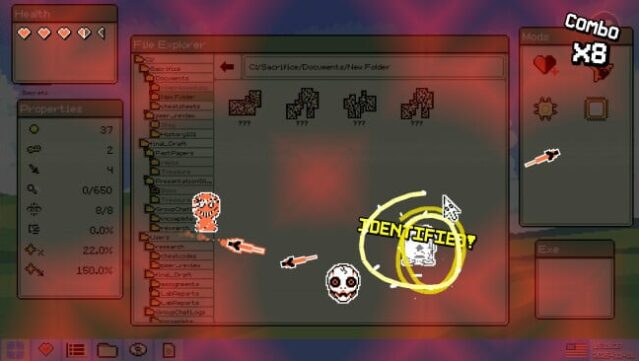
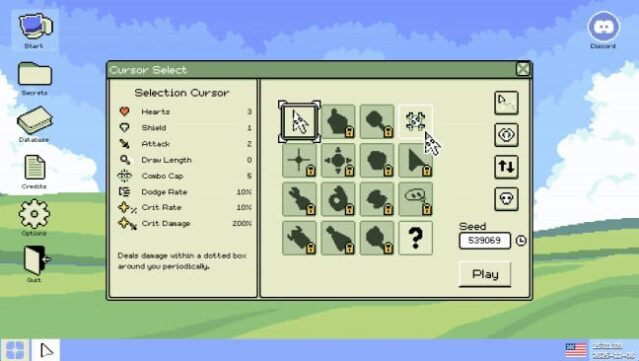
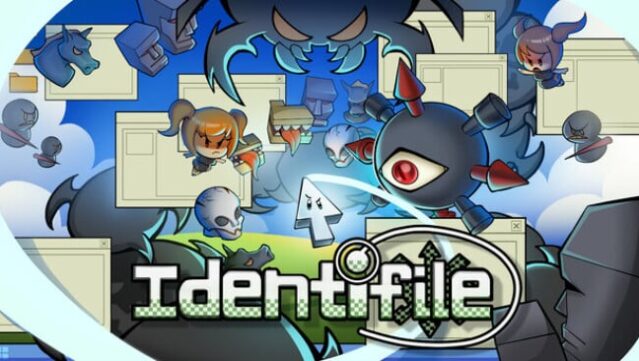
Imagine taking the fight against malware into your own hands, literally, as you transform into a cursor battling to save your PC from a viral takeover. This action roguelike immerses you in a unique setting where the file structure of your operating system becomes a labyrinthine dungeon, packed with secrets and hostile viruses. The gameplay blends frantic bullet hell mechanics with strategic exploration, challenging players to adapt on the fly while confronting swarms of over 30 different viruses and their shiny variants. You can choose from more than a dozen distinct cursors, each with unique abilities to suit various combat styles. With intense boss battles, randomized loot to enhance your skills, and a customizable difficulty system, this game offers a fresh and thrilling take on desktop defense. Perfect for fans of roguelikes and action games looking for a novel twist.
Instructions
- Click the Download button below and you will be redirected to UploadHaven.
- Wait 5 seconds and click on the blue ‘download now’ button. We recommend using a download manager for faster download speeds. (You can use FDM which is free here, or any other download manager).
- Once the game is finished downloading, right click the .zip file and click on “Extract to Identifile: Desktop Dungeon v0.1.2.zip” (To do this you will need 7-Zip, which you can get here, or you can use the built in windows extractor).
- Double click inside the Identifile: Desktop Dungeon v0.1.2 folder and run the setup application. Accept the EULA, and install the game. Then, launch the game through the desktop shortcut.
Identifile: Desktop Dungeon Free Download (v0.1.2)
Identifile: Desktop Dungeon (v0.1.2)
Size: 255.10 MB
Reminder: This download is completely free and won't cost you a penny. However, If you love the game and want to purchase it, you can support the developers by doing so here.
System Requirements
- Requires a 64-bit processor and operating system
- OS: Windows 10 (64bit)
- Processor: 1.5 Ghz or better
- Memory: 6 GB RAM
- Graphics: 2GB VRAM
- DirectX: Version 11
- Storage: 500 MB available space
Screenshots