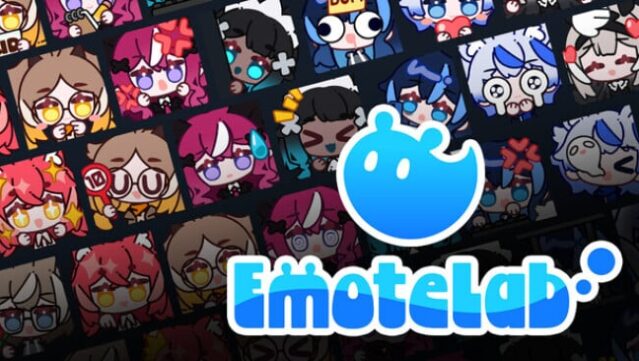
About EmoteLab
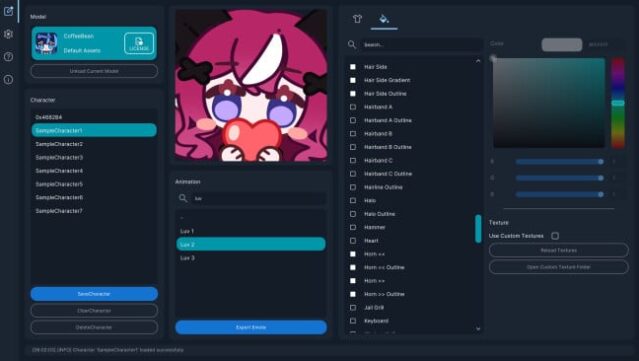
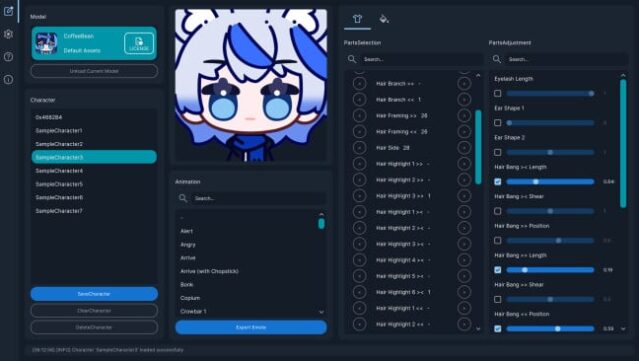
This tool stands out for its user-friendly approach to crafting personalized avatars and lively emotes, making it a great choice for content creators and VTubers alike. EmoteLab operates as a versatile utility that lets you design unique characters using a wide range of customizable parts—think hairstyles, facial features, and outfits—all adjustable to your liking. The intuitive interface allows for real-time previews, so you can see changes and animations as you make them.
With export options tailored for popular platforms like Discord and Twitch, you can easily create animated GIFs with transparent backgrounds while controlling size and quality. You can save multiple character presets, share them with others, and even use third-party Spine2D models for expanded customization. This makes it perfect for beginners who want to add a splash of personality to their online presence without diving deep into complex animation techniques. If you’re into creating engaging content or just want a fun way to express yourself online, this tool is definitely worth checking out.
Instructions
- Click the Download button below and you will be redirected to UploadHaven.
- Wait 5 seconds and click on the blue ‘download now’ button. We recommend using a download manager for faster download speeds. (You can use FDM which is free here, or any other download manager).
- Once the game is finished downloading, right click the .zip file and click on “Extract to EmoteLab.zip” (To do this you will need 7-Zip, which you can get here, or you can use the built in windows extractor).
- Double click inside the EmoteLab folder and run the setup application. Accept the EULA, and install the game. Then, launch the game through the desktop shortcut.
EmoteLab Free Download
Reminder: This download is completely free and won't cost you a penny. However, If you love the game and want to purchase it, you can support the developers by doing so here.
System Requirements
- Requires a 64-bit processor and operating system
- OS: Windows 10 (64-bit) or later
- Processor: x64 with SSE2, Dual-core processor, 2.0 GHz or faster
- Memory: 4 GB RAM
- Graphics: DirectX 11 compatible graphics card with Shader Model 5.0 support
- DirectX: Version 11
- Storage: 500 MB available space
- Sound Card: DirectX-compatible sound card
Screenshots