About Vermillion - VR Painting
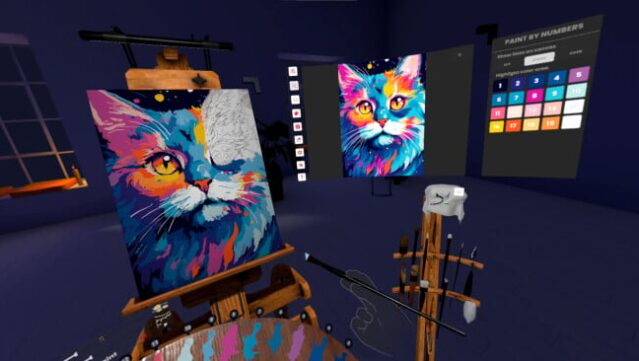
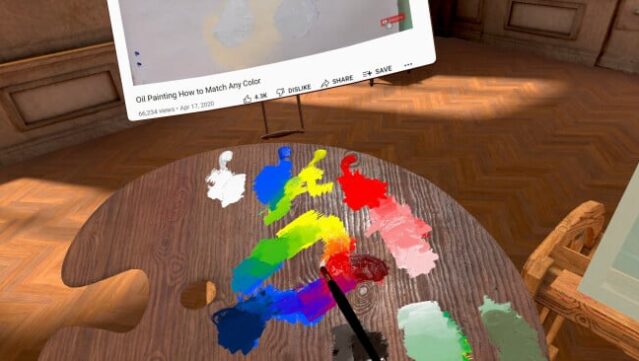
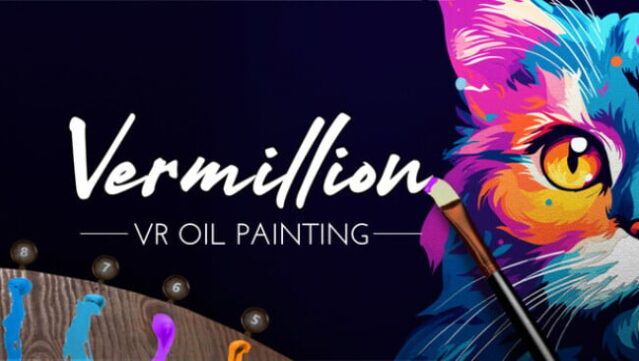
Imagine stepping into a fully equipped oil painting studio, but without the hassle of cleanup—that’s the essence of this immersive VR experience. It’s a virtual painting simulator that allows you to explore your artistic side in a realistic environment. You mix colors using a wet-on-wet technique, utilize a variety of brushes, and work with layers to create stunning artwork, all while having an undo feature at your fingertips.
What sets this game apart is its ability to generate paint-by-numbers templates from images, making it beginner-friendly. The multiplayer mode encourages collaboration, letting up to four players paint together in real time, even in other VR environments. With tools to control brush pressure and steady your hand, plus options to display your creations as high-res images or 3D models, this platform caters to both casual creators and serious artists. Perfect for fans of digital art or those looking to enhance their creative skills.
Instructions
- Click the Download button below and you will be redirected to UploadHaven.
- Wait 5 seconds and click on the blue ‘download now’ button. We recommend using a download manager for faster download speeds. (You can use FDM which is free here, or any other download manager).
- Once the game is finished downloading, right click the .zip file and click on “Extract to Vermillion - VR Painting.zip” (To do this you will need 7-Zip, which you can get here, or you can use the built in windows extractor).
- Double click inside the Vermillion - VR Painting folder and run the setup application. Accept the EULA, and install the game. Then, launch the game through the desktop shortcut.
Vermillion – VR Painting Free Download
Vermillion - VR Painting
Size: 1.20 GB
Reminder: This download is completely free and won't cost you a penny. However, If you love the game and want to purchase it, you can support the developers by doing so here.
System Requirements
- OS: Windows 10
- Processor: Intel i5-4590 / AMD Ryzen 5 1500X or greater
- Memory: 8 GB RAM
- Graphics: NVIDIA GTX 1050 Ti / AMD Radeon RX 470 or greater
- DirectX: Version 11
- Storage: 1 GB available space
- VR Support: This is a VR only title, supporting SteamVR and OpenXR.
Screenshots