About Tailside: Cozy Cafe Sim
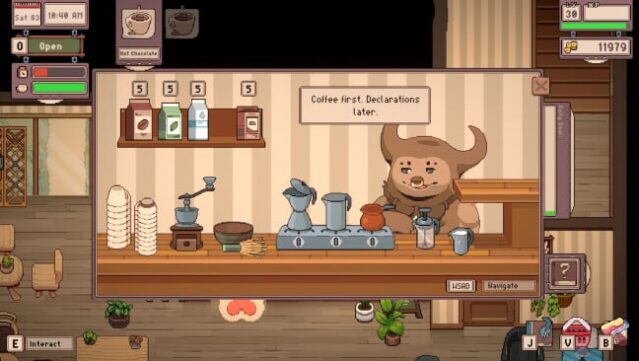
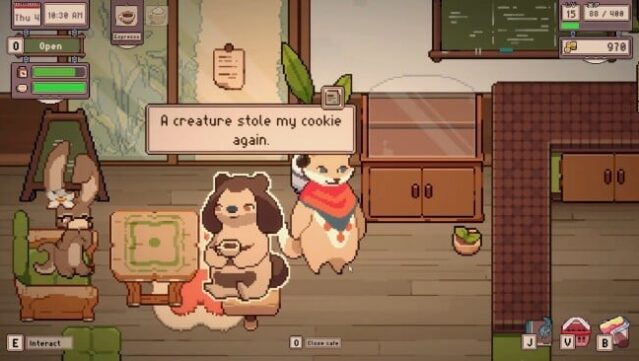
Step into a whimsical world where you can manage your very own café, crafting a serene space filled with coffee and charm. This cozy simulation game lets you create and customize your café, bedroom, and terrace, offering countless decoration choices to make your environment truly yours. The gameplay is laid-back, allowing you to progress at your leisure through delightful daily stories without the pressure of time constraints. As you level up, you unlock new items, skills, and quirky creature visitors, enriching the warm atmosphere. Engage with lighthearted narratives through a daily newspaper, and enjoy the game's community-driven development with modding support that encourages creativity. It’s perfect for fans of casual simulations and those who appreciate heartfelt storytelling.
Instructions
- Click the Download button below and you will be redirected to UploadHaven.
- Wait 5 seconds and click on the blue ‘download now’ button. We recommend using a download manager for faster download speeds. (You can use FDM which is free here, or any other download manager).
- Once the game is finished downloading, right click the .zip file and click on “Extract to Tailside: Cozy Cafe Sim v0.1.zip” (To do this you will need 7-Zip, which you can get here, or you can use the built in windows extractor).
- Double click inside the Tailside: Cozy Cafe Sim v0.1 folder and run the setup application. Accept the EULA, and install the game. Then, launch the game through the desktop shortcut.
Tailside: Cozy Cafe Sim Free Download (v0.1)
Tailside: Cozy Cafe Sim (v0.1)
Size: 126.36 MB
Reminder: This download is completely free and won't cost you a penny. However, If you love the game and want to purchase it, you can support the developers by doing so here.
System Requirements
- OS *: Windows Vista or greater
- Processor: 2 Ghz
- Memory: 2 GB RAM
- Graphics: 256 mb video memory, shader model 3.0+
- DirectX: Version 10
- Storage: 500 MB available space
- Additional Notes: Compatible with introverts
Screenshots