About Table Battle Simulator
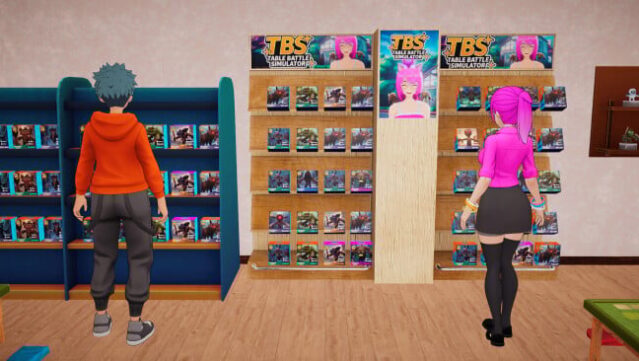
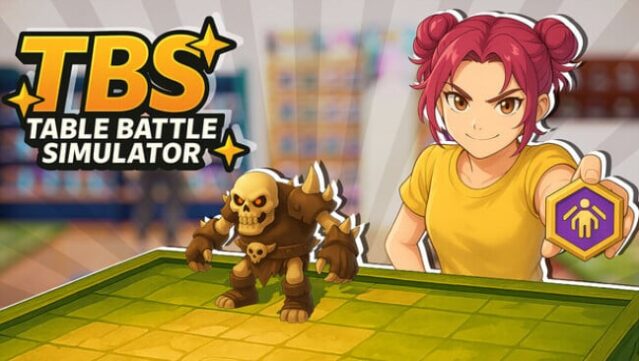
Dive into a vibrant world where strategy meets collecting in this unique simulation experience. As a passionate figure collector, you explore surprise boxes to unearth rare and legendary warriors from four distinct series, each offering diverse playstyles and tactics. You can craft a custom figure store, showcasing your prized collection while setting prices to sell or trade with fellow enthusiasts.
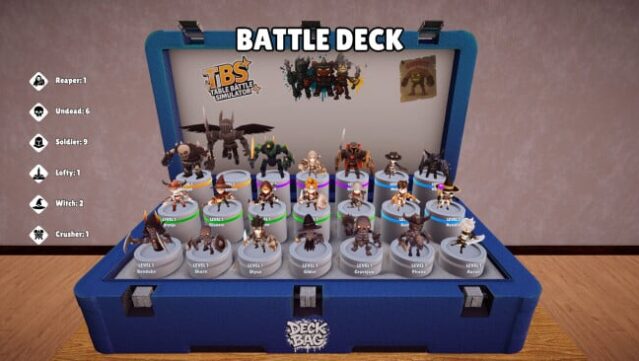
Expand your shop by adding shelves and race platforms to draw in more customers and boost your profits. The gameplay doesn’t stop at collecting; you can engage in exciting tabletop battles, utilizing an Add-on System to enhance your team with powerful cards. Race bonuses kick in when you group warriors of the same type, adding another layer of strategy to your battles, including intense Tower and Grand Battles. If you thrive on management and tactical gameplay, this is a must-try for you.
Instructions
- Click the Download button below and you will be redirected to UploadHaven.
- Wait 5 seconds and click on the blue ‘download now’ button. We recommend using a download manager for faster download speeds. (You can use FDM which is free here, or any other download manager).
- Once the game is finished downloading, right click the .zip file and click on “Extract to Table Battle Simulator v0.0.9.zip” (To do this you will need 7-Zip, which you can get here, or you can use the built in windows extractor).
- Double click inside the Table Battle Simulator v0.0.9 folder and run the setup application. Accept the EULA, and install the game. Then, launch the game through the desktop shortcut.
Table Battle Simulator Free Download (v0.0.9)
Table Battle Simulator (v0.0.9)
Size: 2.53 GB
Reminder: This download is completely free and won't cost you a penny. However, If you love the game and want to purchase it, you can support the developers by doing so here.
System Requirements
- Requires a 64-bit processor and operating system
- OS: Windows (64-bit) 10
- Processor: Intel Core i5-2500 @ 3,3 GHz (4 CPUs)
- Memory: 8 GB RAM
- Graphics: NVidia GeForce GTX 1050
- DirectX: Version 11
- Storage: 6 GB available space
Screenshots